
The results of the completed imports of historical data are visible in the upload history table on the Administration > Data Import screen in the WFM application. Both types of imports are included: manual uploaded and automatic imports based on the configured schedule performed by WFM Data Importer.
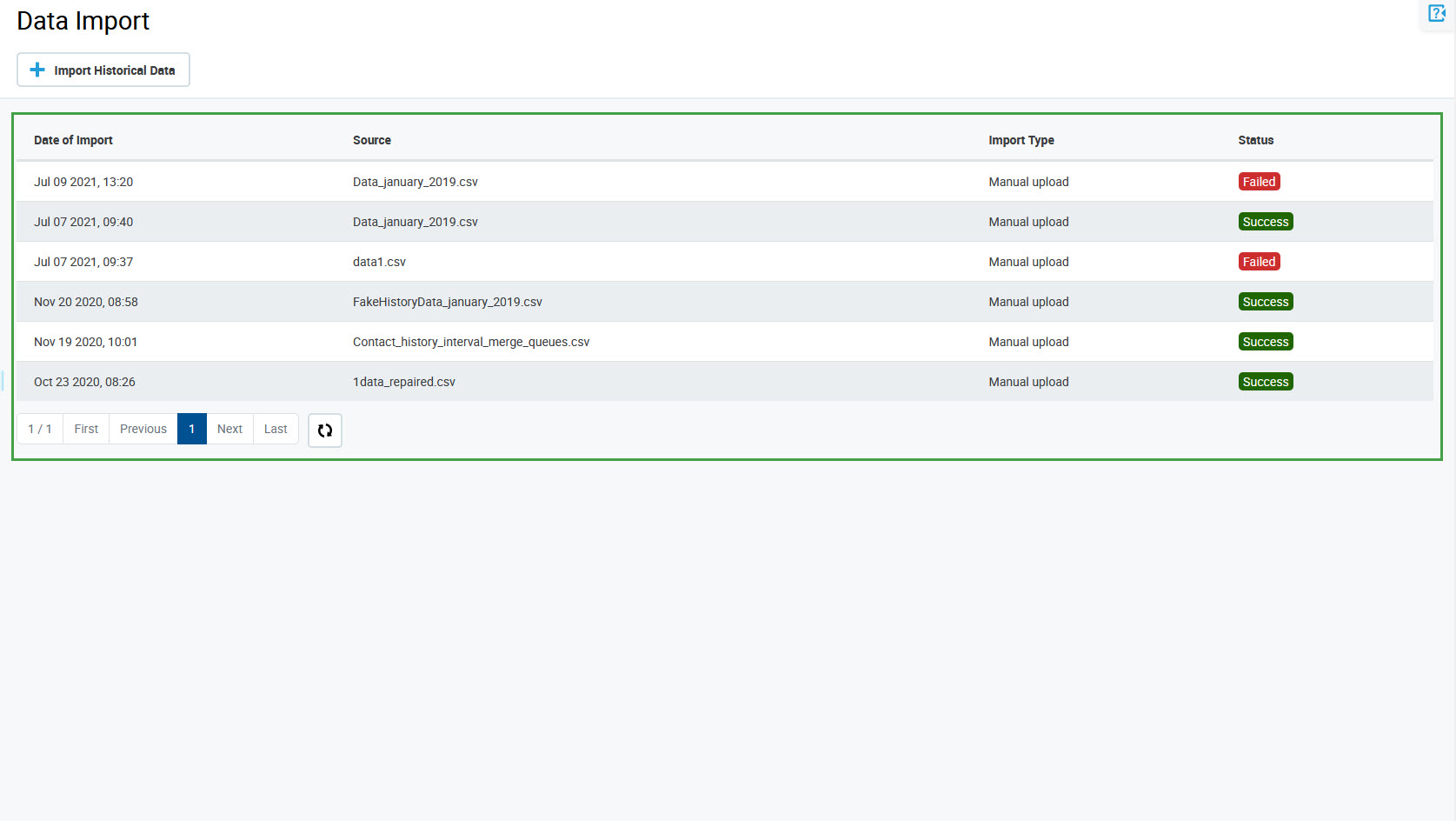
The table contains the following information:
-
Date of import
-
Source – name of the data provider* (for an automatic upload) or name of the imported file (for a manual upload of a CSV file)
-
Import Type – if the import was manual or automatic
-
Status – status of the import: Success or Failed
* The name of the data provider is a parameter that is set in the WFM Data Importer configuration, for example, ACD_1.
Please note that only imports of historical data are listed in the table. Imports containing adherence data only are not displayed. The status of adherence data can be checked on the Adherence History screen (the Data as of value).