Overview
There are multiple types of review-related notifications generated by the system in Quality Management.
-
Reminder notifications / Incomplete Review
-
Review created
-
Send feedback/Review completed
Reminder Notifications / Incomplete Review Notification
Various Automated messages are generated as the deadline for conducting a review approaches.
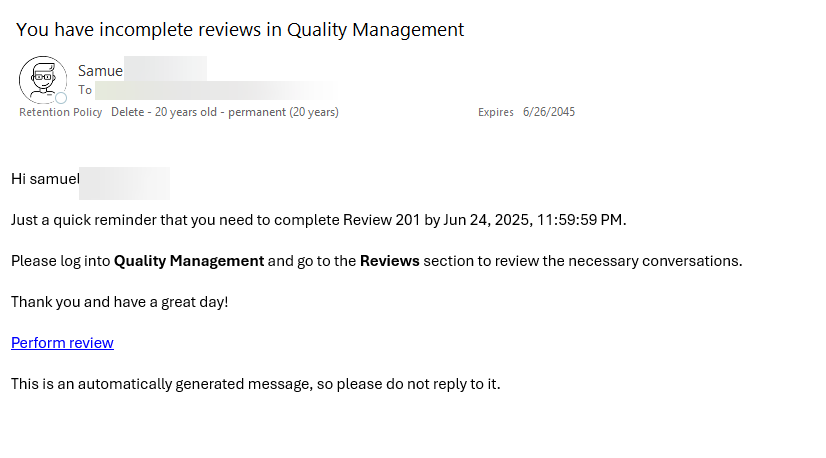
Assigned users will receive a reminder email that indicates that a Review is approaching its deadline, or if a Review is incomplete an additional reminder email will be sent that indicates that a review is approaching its due date.
'Review reminder' notification example:
Configure the Reminder
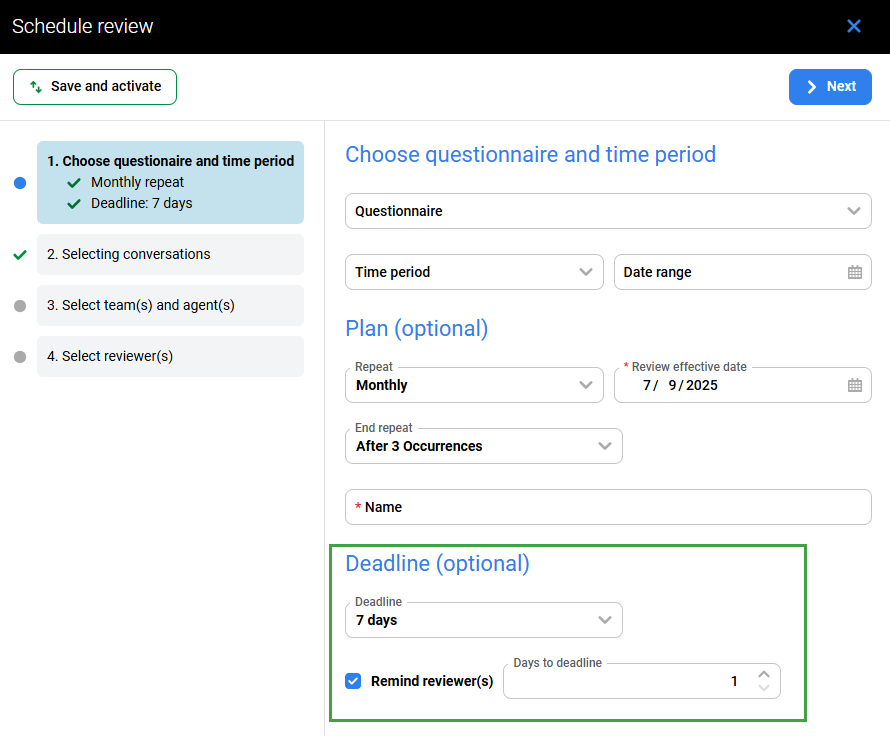
When setting a deadline for a review through the Plans Manager, you can also specify when to send a reminder email to the reviewer. If a deadline is established and you select the option to remind reviewers, they will receive a reminder email before the deadline. You can decide how many days in advance of the deadline the reminder will be sent.
To configure the deadline and reminder:
-
Set the deadline for the review.
-
Check the box labeled "Remind reviewer(s)." The reminder email will be sent a specified number of days before the deadline. By default, this email is sent one day prior to the deadline.
When are reminders sent?
Reminders are sent out by the system once a day at 04:00 UTC through a scheduled cron job. They are not sent immediately after a review is created; instead, reminders go out during the next run of the scheduled task for all incomplete reviews.
-
A reminder is sent only if the scheduled date matches the current date.
-
Each review is processed once a day to prevent multiple emails from being sent on the same day.
-
If the schedule is set to daily and the Review Effective Date is set to today, a reminder will be sent during the next run of the system(at 04:00 UTC).
-
If there is a problem sending emails (system outage) all ‘missed’ reminders will be sent during the next successful run (at 04:00 UTC).
-
Only one reminder email is sent for one review.
Review Created
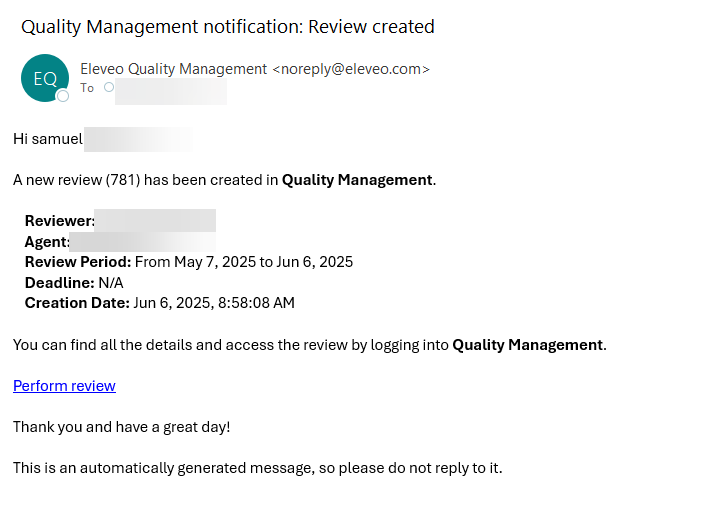
An automated message is generated when a review is created in the Review Scheduler. Note, no notification is sent when a review is created on the Conversation Explorer.
Who recieves an email reminder and when is the email sent?
Recipients are configured on the Preferences page, based on the options that are selected (ticked), the automated message can go to the reviewer, agent or both. If no option is ticked, no message will be sent.
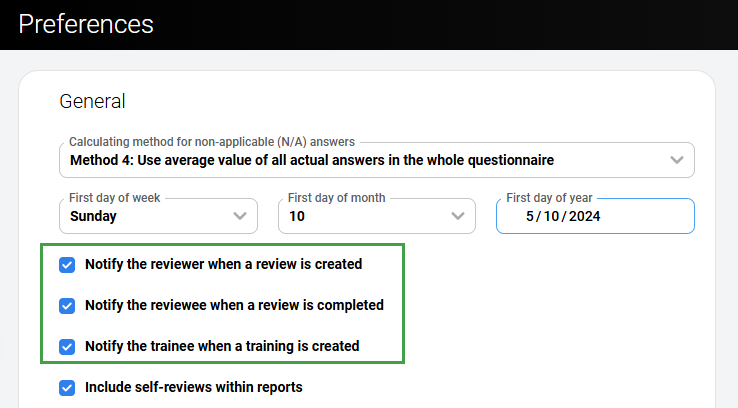
‘Review created’ notification example:
Reminders are sent during the nighlty scheduled run, when the Review Scheduler runs. This is configurable but is set to 03:00 UTC by default. If a review plan is created with the Review effective date set to today, the system will create the review within 5-minutes. This happens because the system recognises that the review is "past due."
The time displayed corresponds to the timezone of the server (UTC).
Review Feedback/Review created
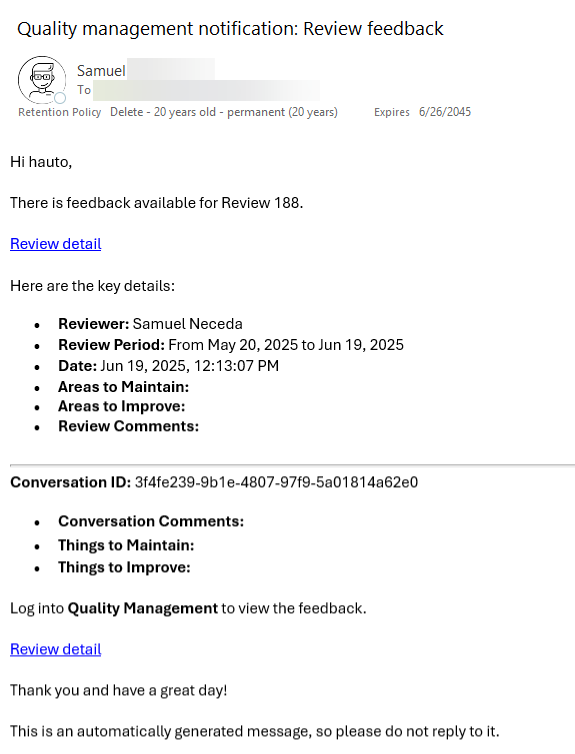
This notification is triggered by the reviewer to share the review feedback with the reviewee, typically an agent, via Review Form > Actions > Send Feedback.
This functionality is only available if the following conditions are met:
-
The review has the status Completed or In Progress and notifications are enabled in Preferences.
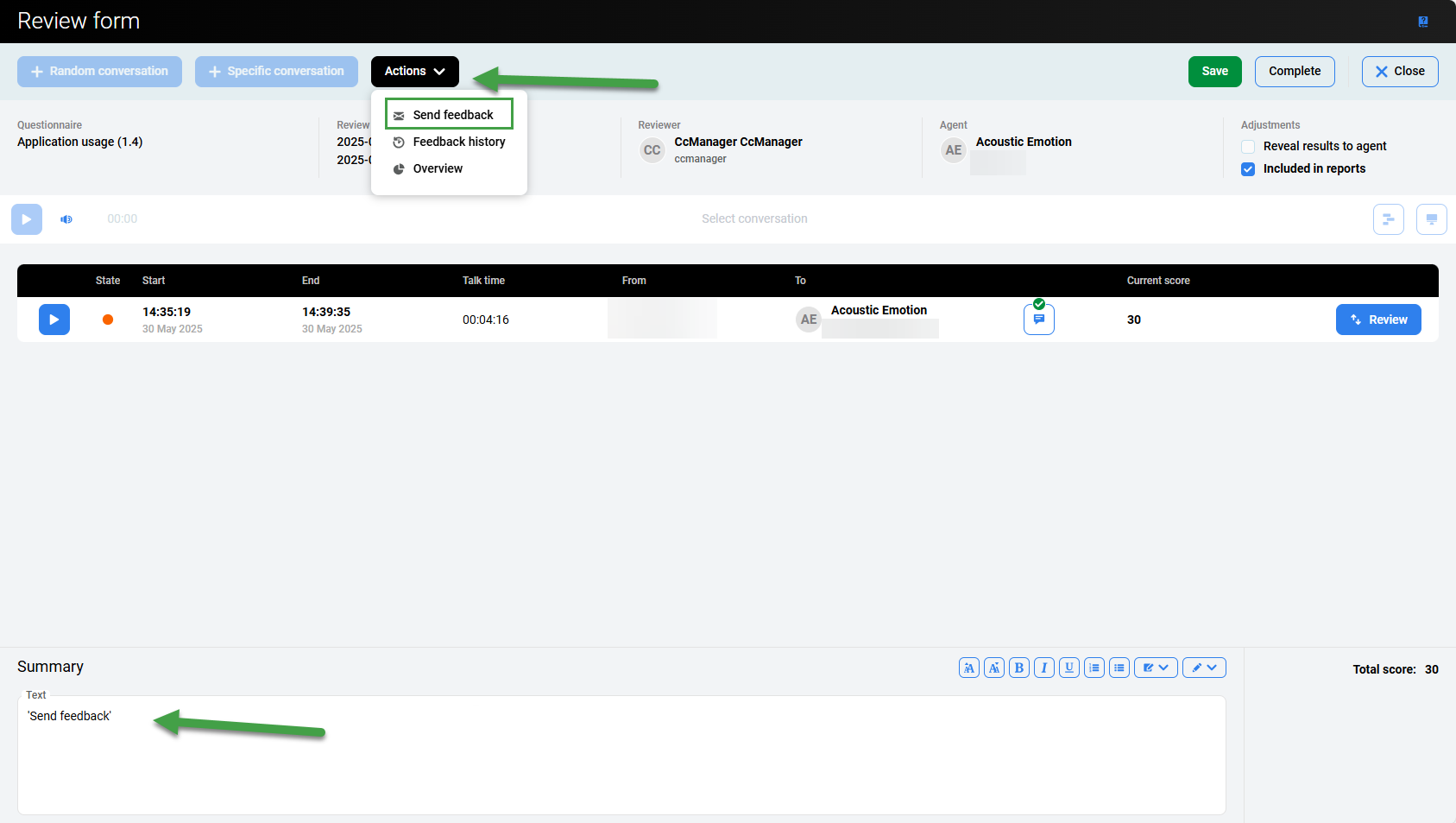
‘Review feedback’ ‘Review completed’ notification example: