
Overview
A skill is a competence (talent, knowledge, specialization) which a person has. It can be language(s) spoken, level of technical knowledge, knowledge of particular products or something else. A person can have many skills attributed to him or her. A queue can only be matched with a single skill. When the queue is matched with a skill, that skill becomes a qualification that a person must have in order to serve that queue. For example, a contact center has two queues. Queue A has no skill assigned to it. Queue B has the Arabic language assigned to it. The contact center has 10 agents, two of whom speak Arabic. All 10 agents are qualified to serve Queue A, but only these two agents are qualified to serve Queue B.
Note that only users with the WFM_ANALYST role assigned are able to add, modify or remove skills! Read more about Roles.
Displaying Existing Skills
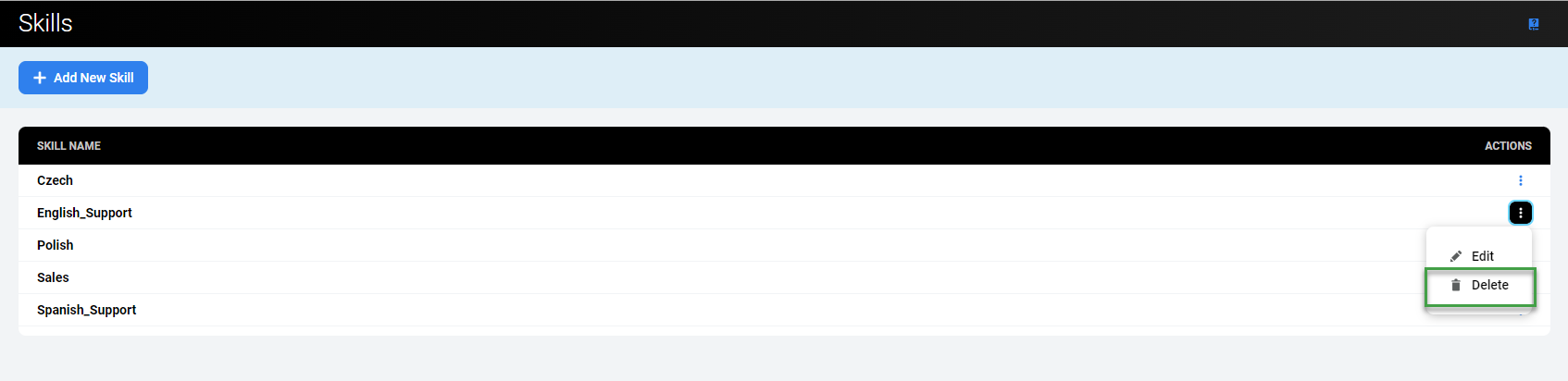
To display skills that already exist in the system, expand the Administration module from within the navigation tree and click Skills. The Skills screen will display.
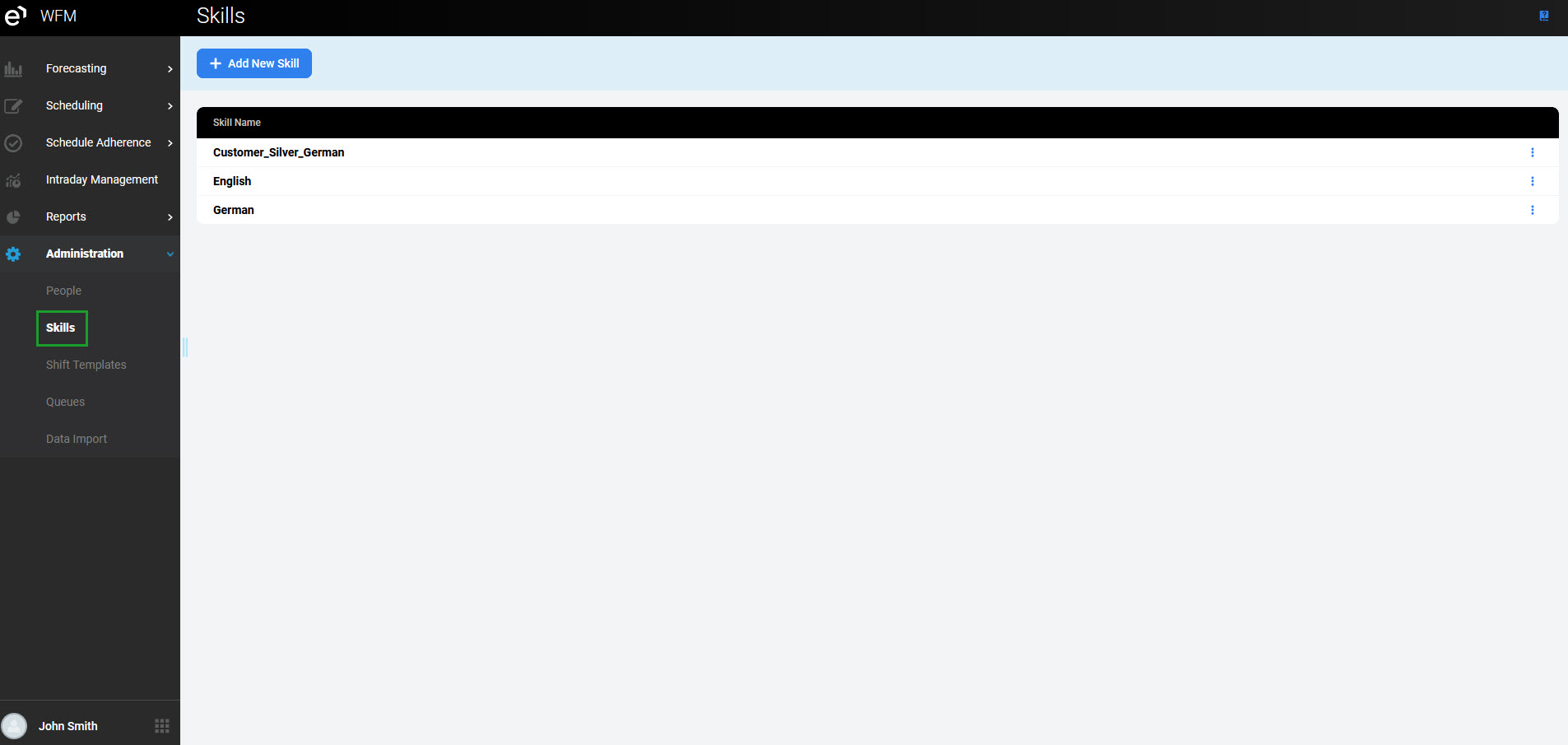
The name of each skill is displayed in the Skill name column.
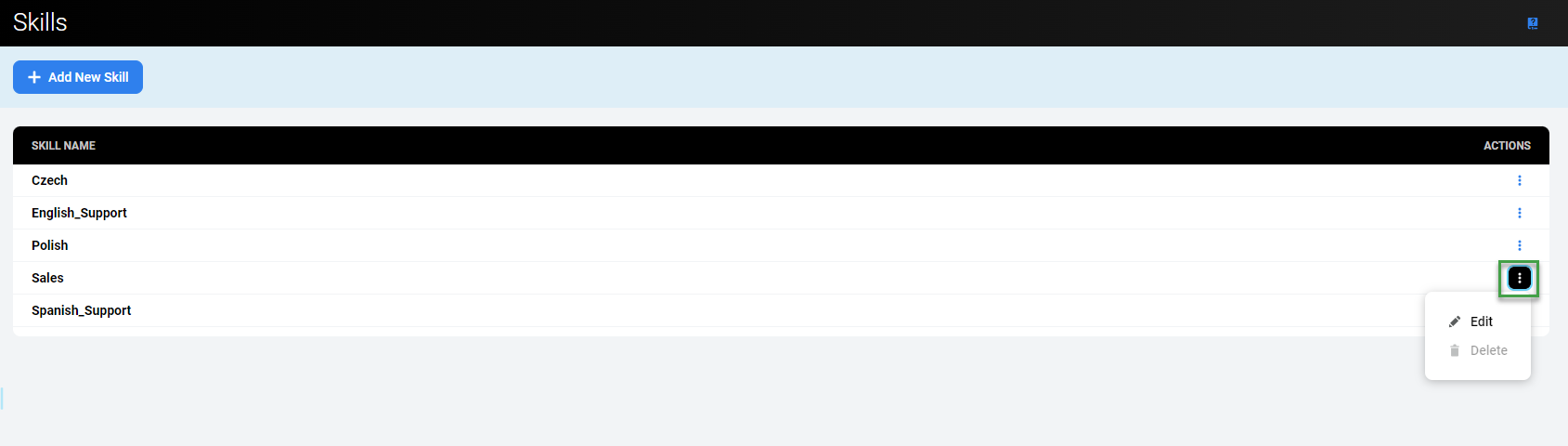
The Action button enables action related to the user:
-
Edit permits the modification of the skill
-
Delete allows for the removal of the skill
Adding a New Skill
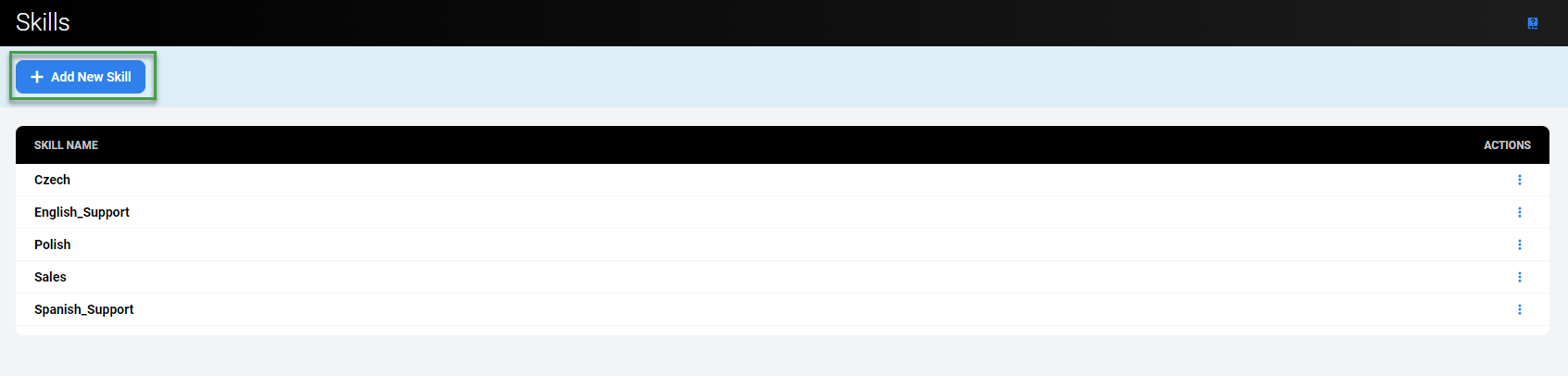
To add a new skill, click the Add New Skill button.
The Add New Skill pane will display.
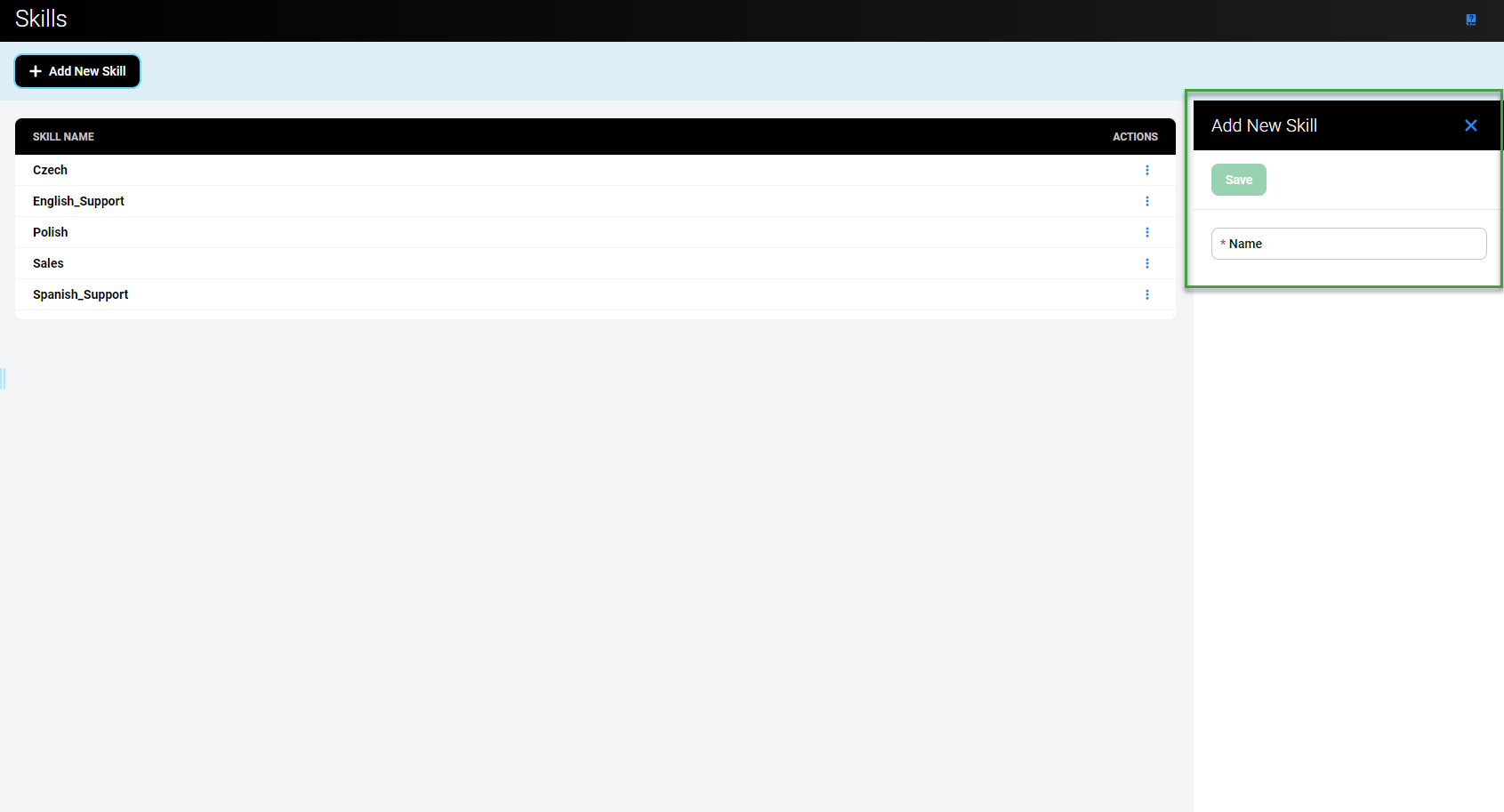
Fill in the name of the skill and click Save.
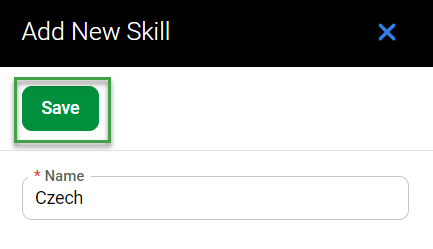
Alternatively, click Close to abandon changes.
Editing a Skill
To edit a skill, click the Action button in the Actions column for the skill. Select Edit.
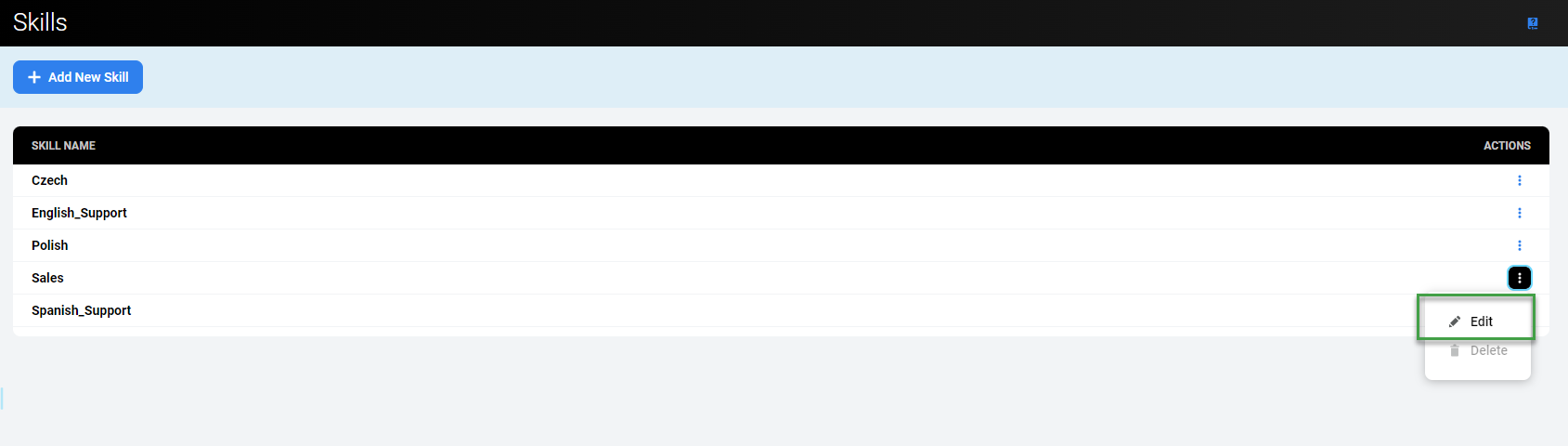
The Edit Skill pane will display.
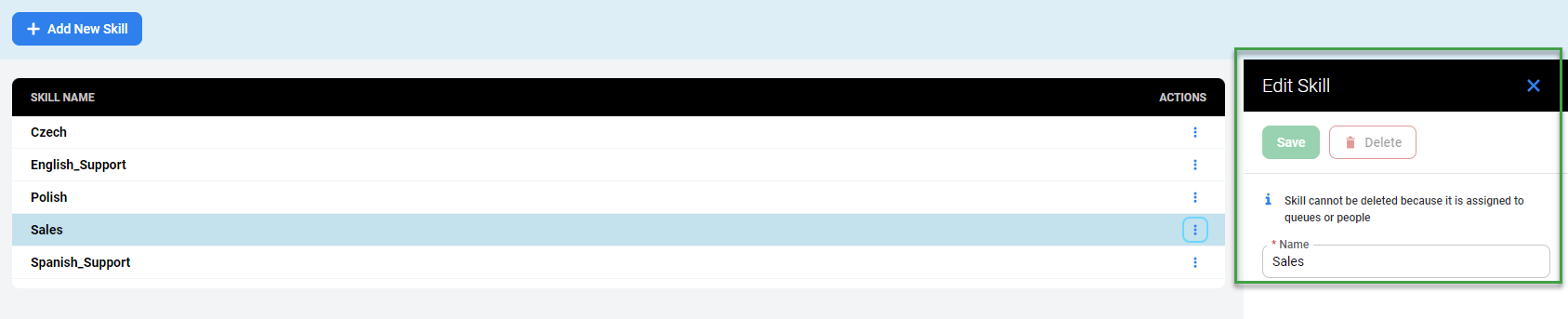
Only the name of the skill can be modified.
Click Save to save changes.
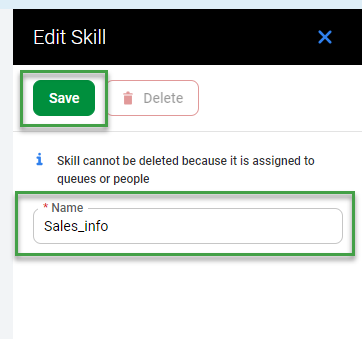
Alternatively, click Close to abandon changes.
Deleting a Skill
To delete a skill, click the Action button in the Actions column for the skill. Select Delete.
A confirmation dialogue will appear, requesting that you confirm Do you really want to delete the chosen skill <queue name>?
Click Delete to confirm the removal of the skill.
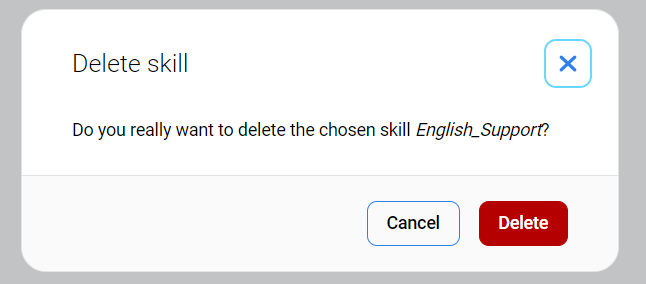
Alternatively, click Cancel to abandon changes.
Note that the skills which are already assigned to a queue or to a person cannot be deleted!