After successful login, the User Management administration console will display for users with the required permissions.
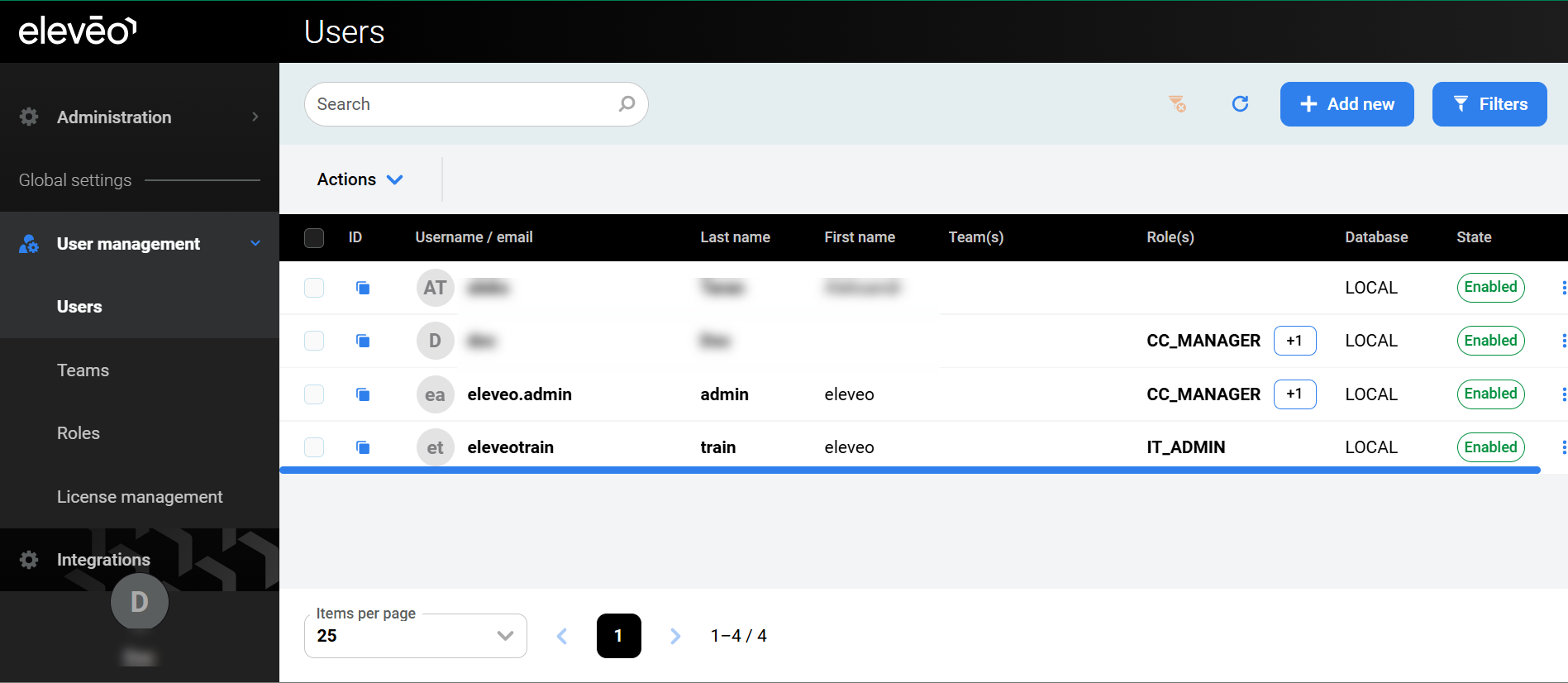
The following configuration sections are available in the navigation tree:
-
User profile – modify users' details, password and authentication options (read more: https://eleveo.atlassian.net/wiki/pages/createpage.action?spaceKey=cloudnative&title=%28ECN-2025.10.15%29%20Configuring%20User%20Profile%20and%20Password&linkCreation=true&fromPageId=607649872 )
-
User management:
-
Users – add, modify, or remove user accounts (read more: Managing Users )
-
Teams – add, modify, or remove user teams (read more: https://eleveo.atlassian.net/wiki/pages/createpage.action?spaceKey=cloudnative&title=%28ECN-2025.10.15%29%20Managing%20Teams&linkCreation=true&fromPageId=607649872 )
-
Roles – add, modify, or remove custom roles (read more: https://eleveo.atlassian.net/wiki/pages/createpage.action?spaceKey=cloudnative&title=%28ECN-2025.10.15%29%20Managing%20Custom%20Roles&linkCreation=true&fromPageId=607649872 )
-
License management – upload licenses for other Eleveo applications (read more: https://eleveo.atlassian.net/wiki/pages/createpage.action?spaceKey=cloudnative&title=%28ECN-2025.10.15%29%20Managing%20Licenses&linkCreation=true&fromPageId=607649872 )
-
User federation – add, modify, or remove a User Federation; this is necessary when configuring user synchronization
-
Provider clients – add, modify, or remove a Provider Client; this is necessary when configuring the automatic import of users and groups from UCCE/X (read more: https://eleveo.atlassian.net/wiki/pages/createpage.action?spaceKey=cloudnative&title=%28ECN-2025.10.15%29%20Managing%20Provider%20Clients&linkCreation=true&fromPageId=607649872 )
-
Authentication providers – add, modify, or remove an Identity Provider; this is necessary when configuring user authentication with external authentication providers
-
Tenant – modify tenant settings (read more: https://eleveo.atlassian.net/wiki/pages/createpage.action?spaceKey=cloudnative&title=%28ECN-2025.10.15%29%20Managing%20Tenant%20Settings&linkCreation=true&fromPageId=607649872 )
-
Email – configure SMTP settings (read more: https://eleveo.atlassian.net/wiki/pages/createpage.action?spaceKey=cloudnative&title=%28ECN-2025.10.15%29%20Managing%20Email%20Settings&linkCreation=true&fromPageId=607649872 )
-
Authentication – manage password policies (read more: https://eleveo.atlassian.net/wiki/pages/createpage.action?spaceKey=cloudnative&title=%28ECN-2025.10.15%29%20Managing%20Password%20Policies&linkCreation=true&fromPageId=607649872 ).
-
Using the User Menu
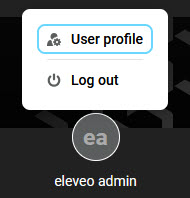
To manage the User Management user account, click on the username in the bottom left corner to display additional options:
-
User profile – redirects the user to https://eleveo.atlassian.net/wiki/pages/createpage.action?spaceKey=cloudnative&title=%28ECN-2025.10.15%29%20Configuring%20User%20Profile%20and%20Password&linkCreation=true&fromPageId=607649872
-
Logout – logs the current user out of the application