
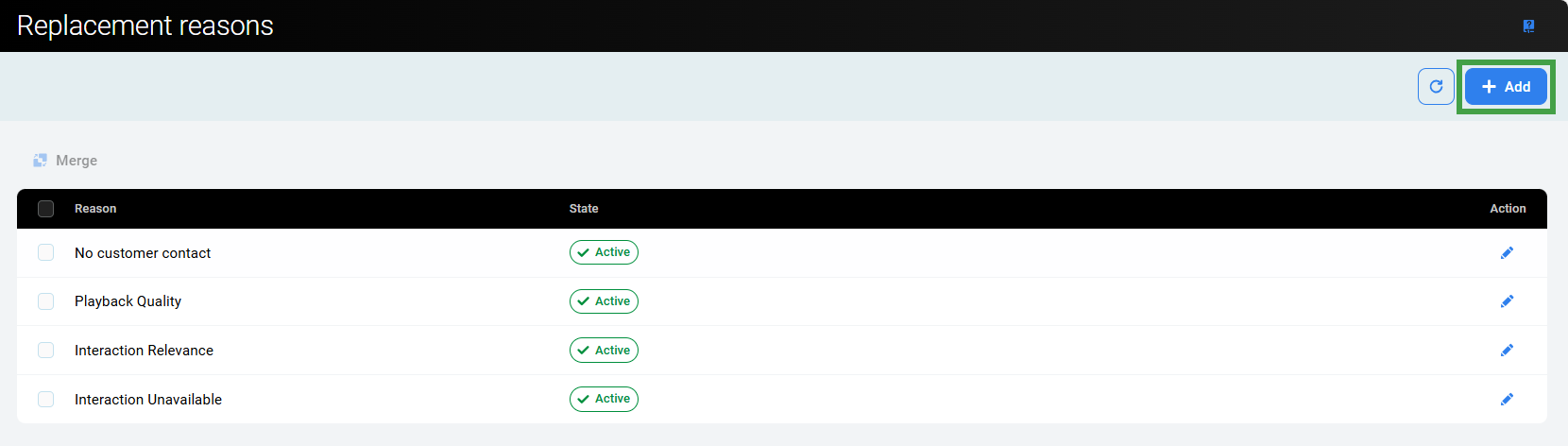
To add a reason in the Replacement Reasons tab, go to Reviews > Replacement Reasons:
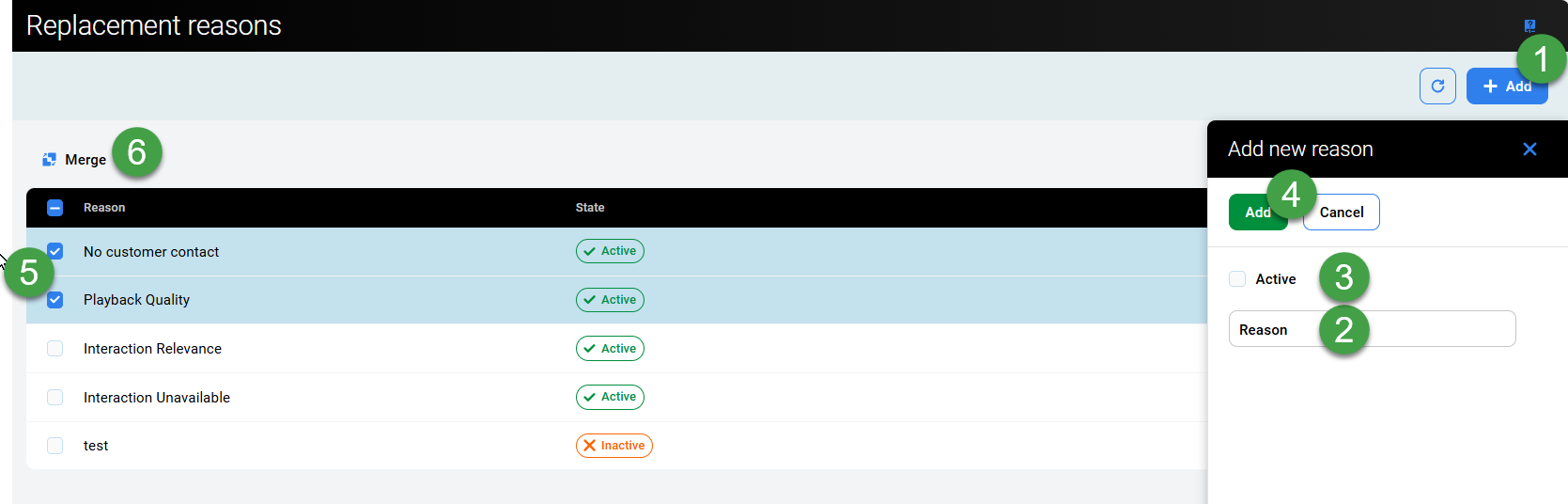
To add a replacement reason:
-
Click Add to create a new replacement reason.
-
You will be prompted to enter 'Reason Text' (each Reason must have a unique name).
-
Check the box ‘Active’. Only active replacement reasons are displayed in the drop-down menu in the Replace Conversation dialog window.
-
Click Add to create the new item.
-
Check two or more items to merge items.
-
Click the Merge icon to merge two or more reasons:
-
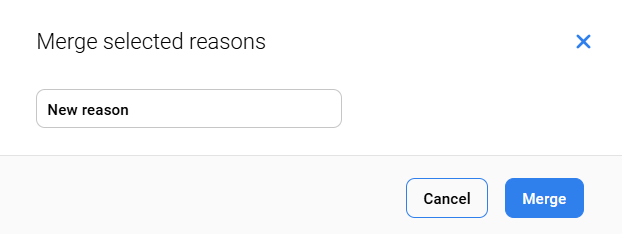
You will be prompted to create a new name for the merged items.
-
Click Merge to complete this step.
-
NOTE
To add or edit the reasons, the user has to have REPLACEMENT_REASONS_MANAGE permissions assigned. For more information see the Quality Management Roles page.
If you can not add a reason due to a naming conflict a warning will indicate that a current reason with the same name already exists.
All actions regarding the replacement and deletion of conversations are logged together with the reason in the Audit Log of Quality Management.
Deleting Replacement Reasons
Deletion is not supported at this time. Replacement reasons can be marked as inactive, preventing them from being displayed in the drop-down menu in the Replace Conversation dialog window.