
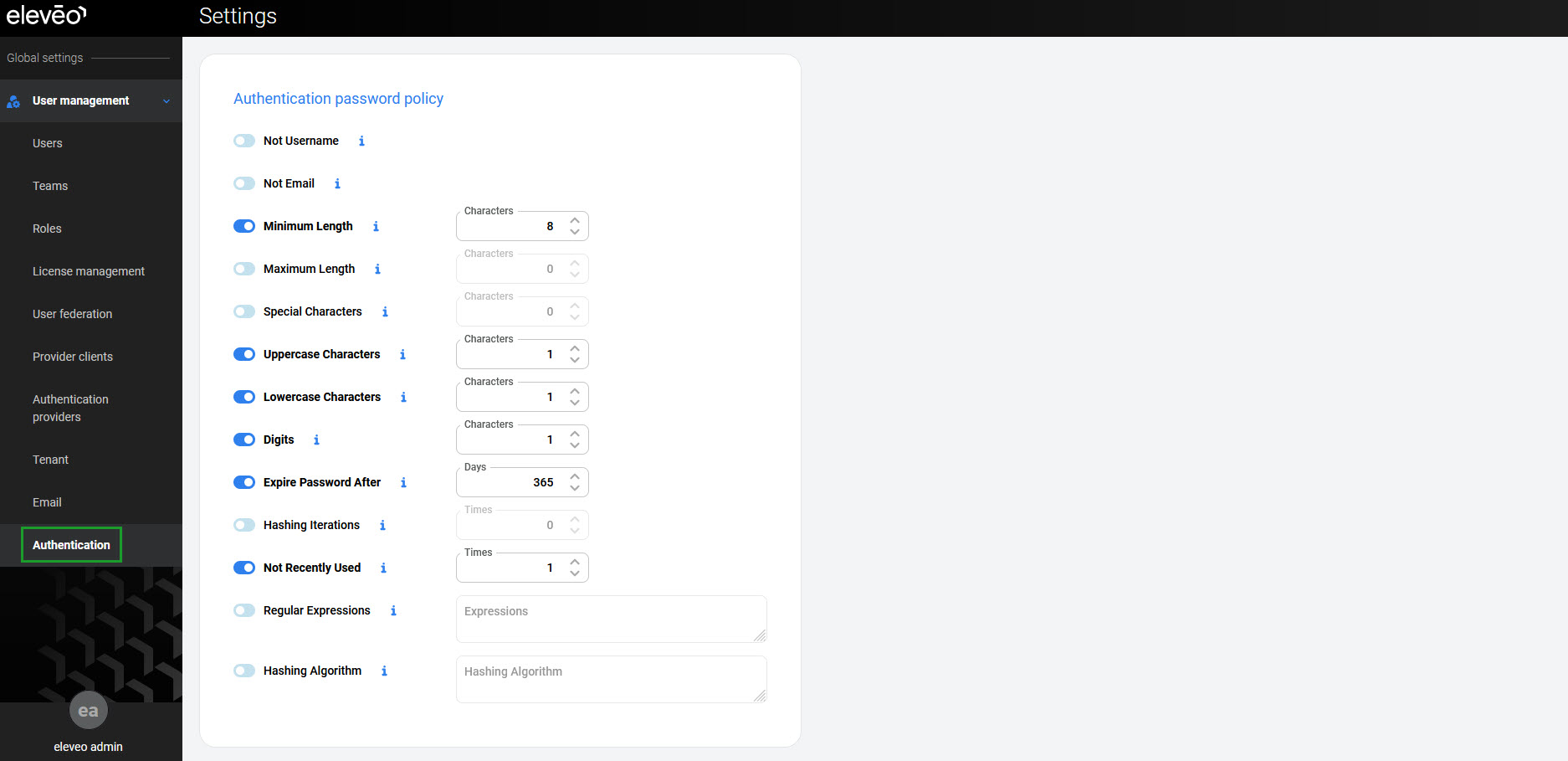
Click User management > Authentication within the navigation tree on the left to display the Authentication password policy screen.
Default Password Policies
Eleveo default settings require that new passwords meet the following complexity requirements:
-
Minimum Length – at least 8 characters
-
Digits – with at least one character a number (0-9)
-
Lowercase Characters – at least one character a lowercase letter (a-z)
-
Uppercase Characters – at least one character an uppercase letter (A-Z).
Additionally, the following policies apply:
-
Expire Password After – password expires after 365 days and its change is requested after this time
-
Not Recently Used – password cannot be the same as the last one.
All the above-mentioned policies are enabled by default.
Modifying Password Policies
The following policies can be also enabled and/or modified:
-
Not Username – username cannot be used as a password
-
Not Email – email cannot be used as a password
-
Maximum Length – password cannot be longer than this value
-
Special Characters – password should contain at least this number of special characters
-
Hashing Iterations – number of hashing iterations
-
Regular Expression – passwords should match this regular expression
-
Password Blacklist – expressions that cannot be used as a password
-
Hashing Algorithm – hashing algorithm used for hashing the password
To enable any additional policy, move the switch to the right. Each policy type has a default policy value that can be modified.
To disable a policy, move the switch to the left.
In the end, click Save to apply the changes.