
Before calibrating reviewers make sure that reviewers are assigned the right to review the team that the target agent is in. For details on how to ensure that a user can review another user, refer to this section Can Review on the page Editing Users.
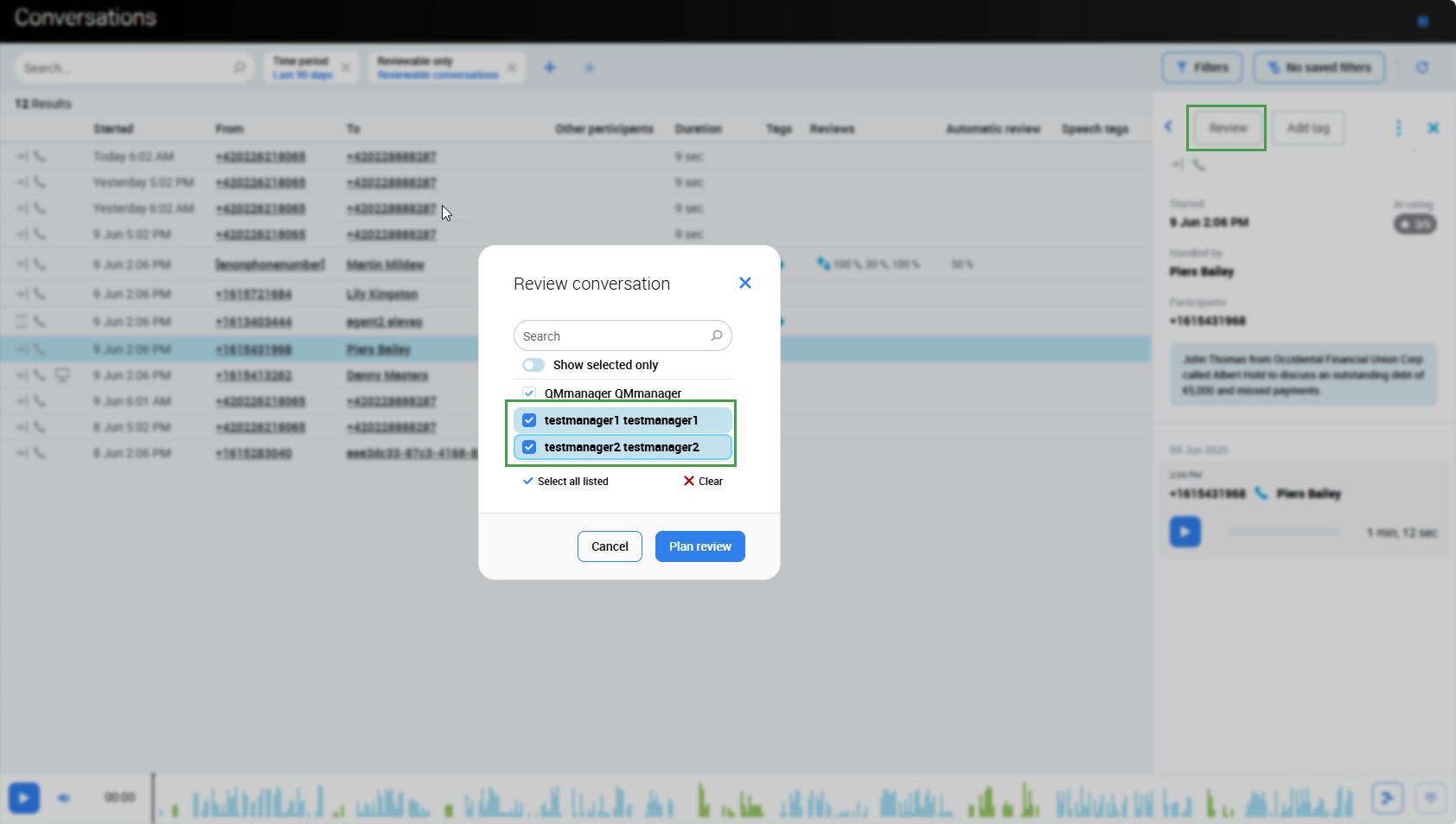
After this step, you may continue on the Conversation Explorer to select the suitable conversation, questionnaire and more than one reviewer. The review will be created for each reviewer of the same conversation using the same questionnaire.
Please note that you may select ALL reviewers who you want to review the selected conversation, including yourself if necessary.
If the conversation has already been reviewed by someone using the questionnaire you have selected, you can uncheck the name of that reviewer, and their review will still stand and be taken into account on the calibration report.
-
Select a conversation to review from the Conversation Explorer.
-
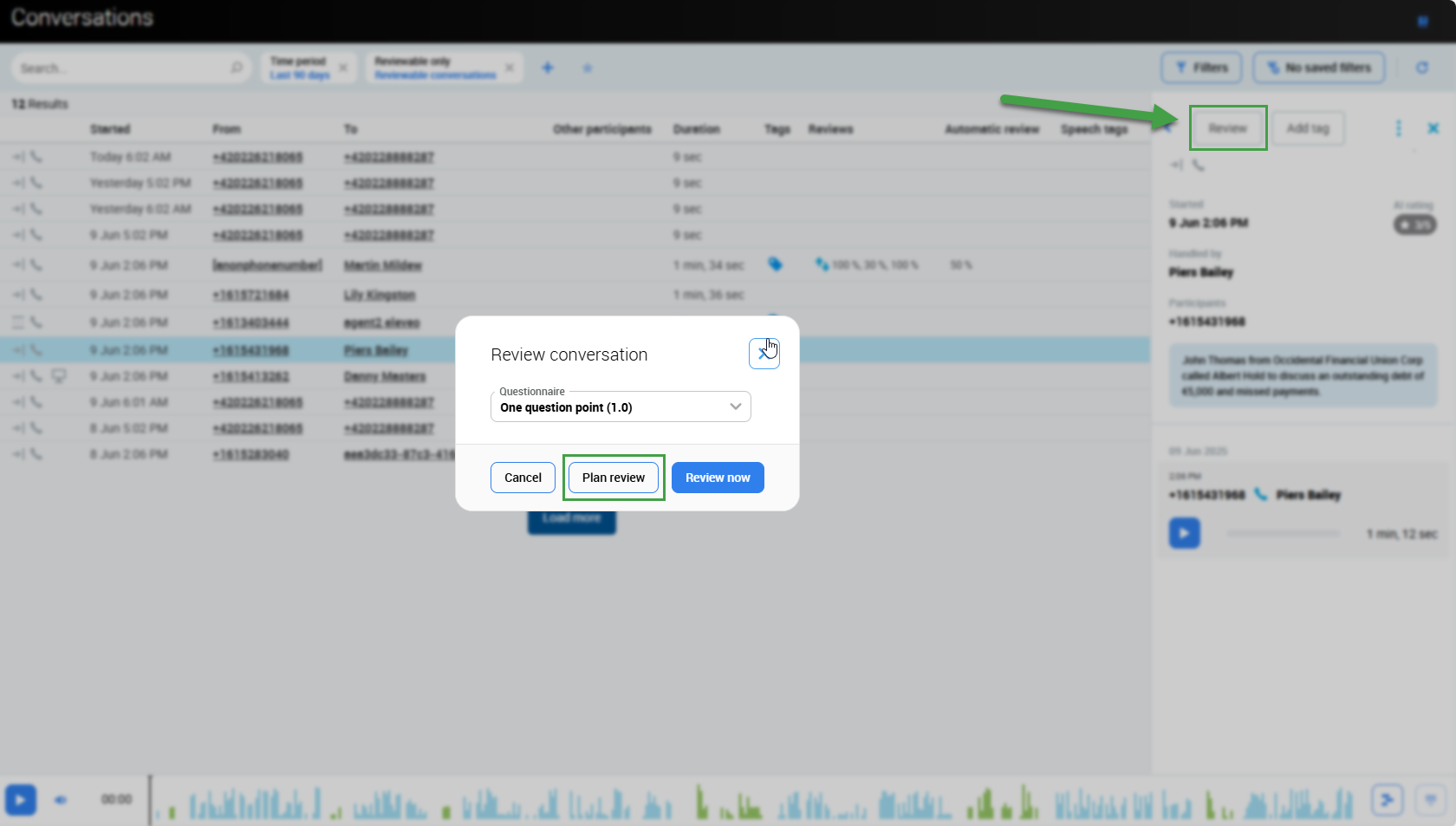
Click Review from the Details Pane, then click the Plan Review button.
-
Select reviewers from the list of available users, and Plan review.
-
Check the Reviews screen to see if the review is correct.
Note that calibration reviews can be planned not only for a single conversation from the Conversation Explorer, but also from the Plans Manager.