
This page allows a user to set a specific SMTP configuration that will be used by User Management to send notifications.
Click User management > Email within the navigation tree on the left to display the Email Settings screen.
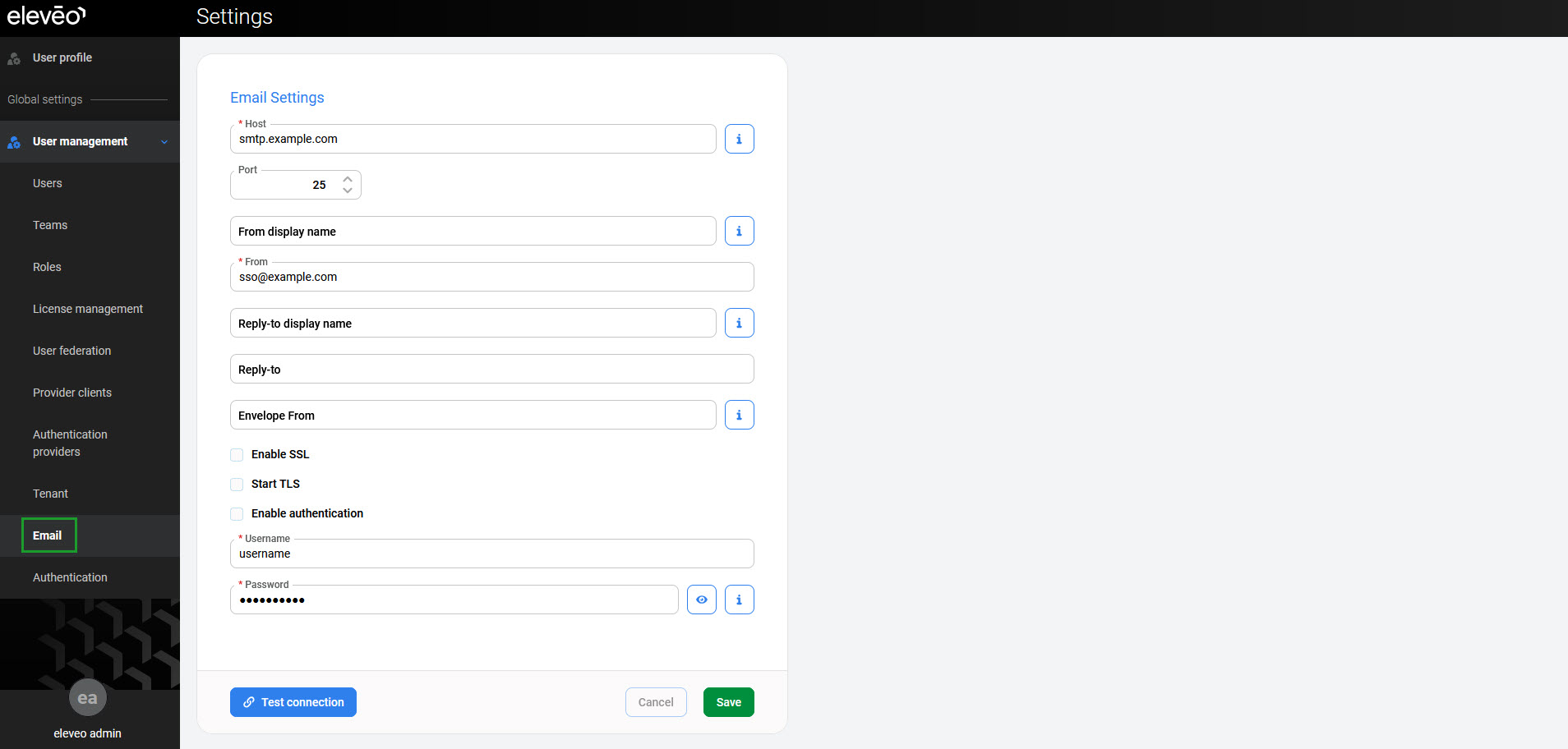
Provide the details:
-
Host – hostname of the email server
-
Port – port on which the email server is listening
-
From display name (optional) – user-friendly name for the ‘From’ address
-
From – sender’s email address
-
Reply-to display name (optional) – user-friendly name for the ‘Reply-to’ address
-
Reply-to (optional) – address used to be replied to
-
Envelope From (optional) – email address used for bounces
-
Enable SSL – enable SSL encryption
-
Start TLS – enable TLS encryption
-
Enable authentication – enable authentication
-
Username – name of a user with rights to send emails
-
Password – password of the user above
-
Click Test connection to verify if the provided details are correct. Then click Save to apply settings.