
Trainers Tips
AQM Rule Best Practices
Automated Rules are designed to equal 100%. This is true whether the rule consists of a single attribute equaling 100%, or if there are multiple attributes that add up to 100%.
At this time, it is not possible to decrease the score based on an attribute, but rather only award a score based on the presence of the attribute. It's important to understand what a score of 100% means for each individual rule. Consider a naming convention that readily identifies 100% as a positive or negative outcome, using symbols to highlight this outcome.
Create a set of rules that search for either a positive outcome or its opposite.
How do I identify Positive vs Negative?
Begin the Rule Name with a simple identifier:
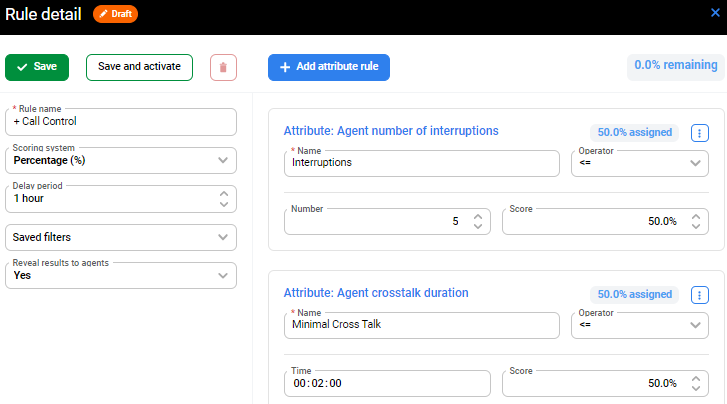
Positive Rule Name begin with + [plus sign]
Negative Rule Name being with - [minus/negative sign]
Positive Set of Rules:
Negative Set of Rules:
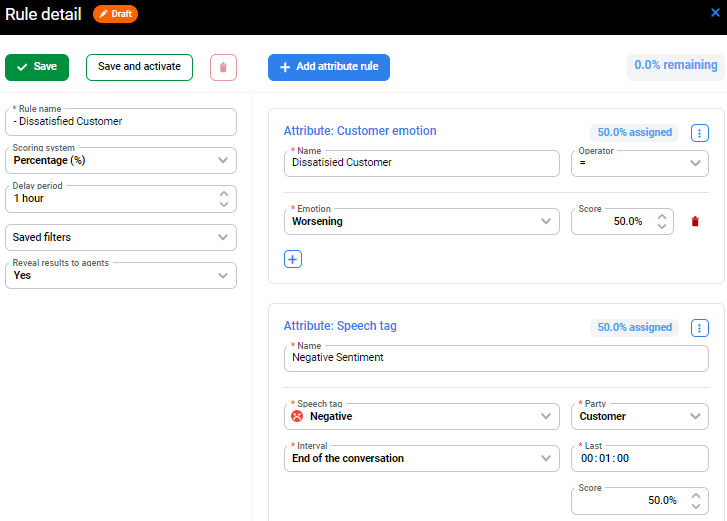
In this way, regardless of the name of the rule, the initial indicator (+ or -) shows whether a high score for this particular rule is good or bad.
Neutral Set of Rules:
In some cases, you may consider a third indicator (Neutral). For example, if there are rules you create that have neither a positive nor negative connotation but rather are simply being used to track the occurrence of some attribute.
Linked documentation Automated Rules