
Conversation Types define the types of conversation that Quality Management can process in review and reports. There are two sources of conversation type:
-
SYSTEM - built into the system; enable Quality Management to extract conversations from the Conversation Explorer to be reviewed.

-
USER - created by a user to review conversations from other (external) systems. These types can be edited (renamed) on the Conversation Types screen. When chosen in a review, there will be a placeholder in the QM review instead of the actual conversation, since that can be found in a different system.

For more information, see the Conversation Review - Grading Form.
Working with Conversation Types
To add a conversation type:
-
Select Conversation Types in the left-hand menu.
-
Click New.
-
Type a conversation name in the Name field.
-
Click Save.
To delete a conversation type:
-
Select Conversation Types in the left-hand menu.
-
Select a conversation type to delete.
-
Click Delete.
To edit a conversation type:
-
Select Conversation Types in the left-hand menu.
-
Select the conversation type to edit.
-
Click Edit.
-
Edit the conversation name in the Name field.
-
Click Save.
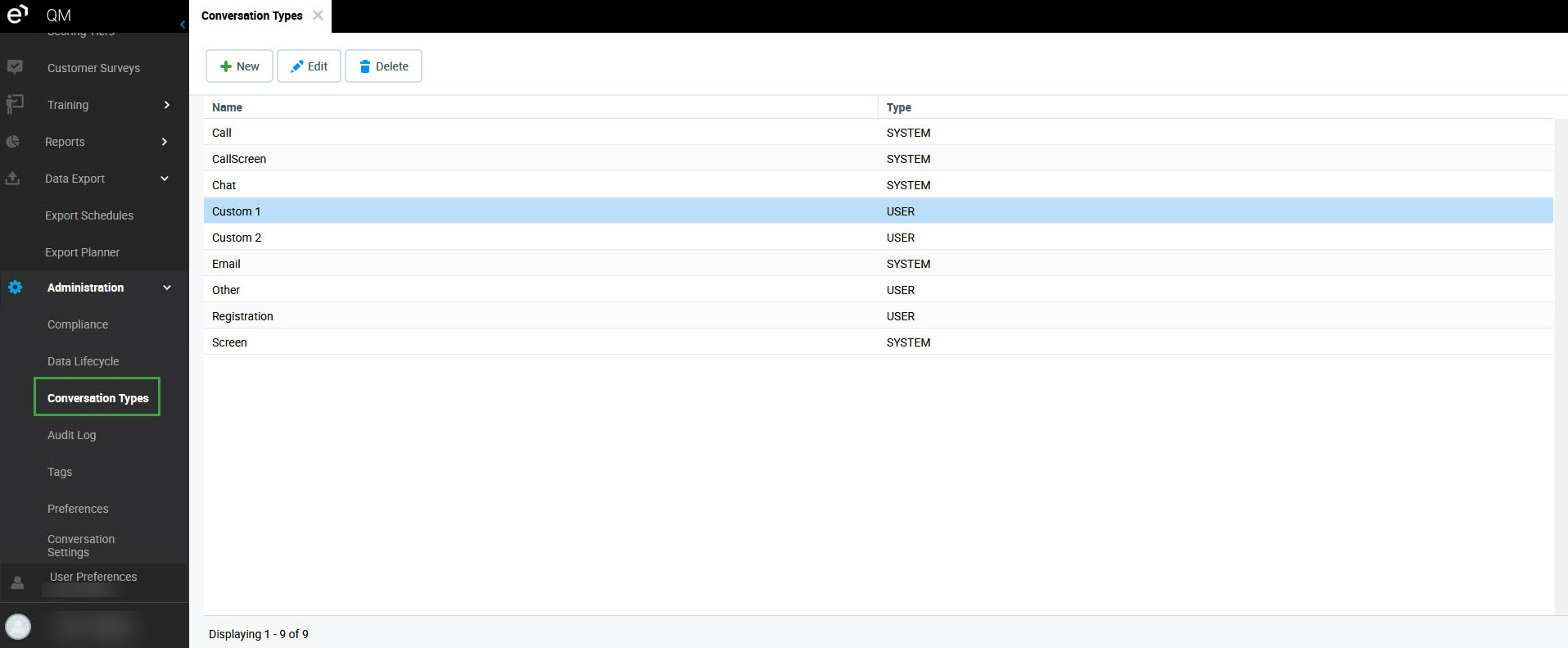
The system conversation types cannot be edited, or removed.