
Overview
To facilitate the process of forecasting and scheduling, and to provide additional flexibility, the concept of the Studio environment has been introduced to Eleveo WFM. The Studio environment permits the creation of any number of draft forecasts and schedules and then building production forecasts or schedules based on drafts.
Forecasting Studio
The Forecasting Studio environment facilitates the configuration of any number of draft forecasts. The Forecasting Studio page displays all of the configured draft forecasts and allows for them to be applied to the production forecast. A production forecast can be considered as a long-term timeline. This timeline is 'filled in' in blocks of time (time ranges) using the forecasts configured during the Studio environment.
The benefits of draft forecasts include:
-
draft forecasts for different time periods can be based on different historical data
-
draft forecasts for one time period can be based on different historical data for comparison
To display an existing production forecast, expand the Forecasting module within the navigation tree and click Studio. The Forecasting Studio screen will display.
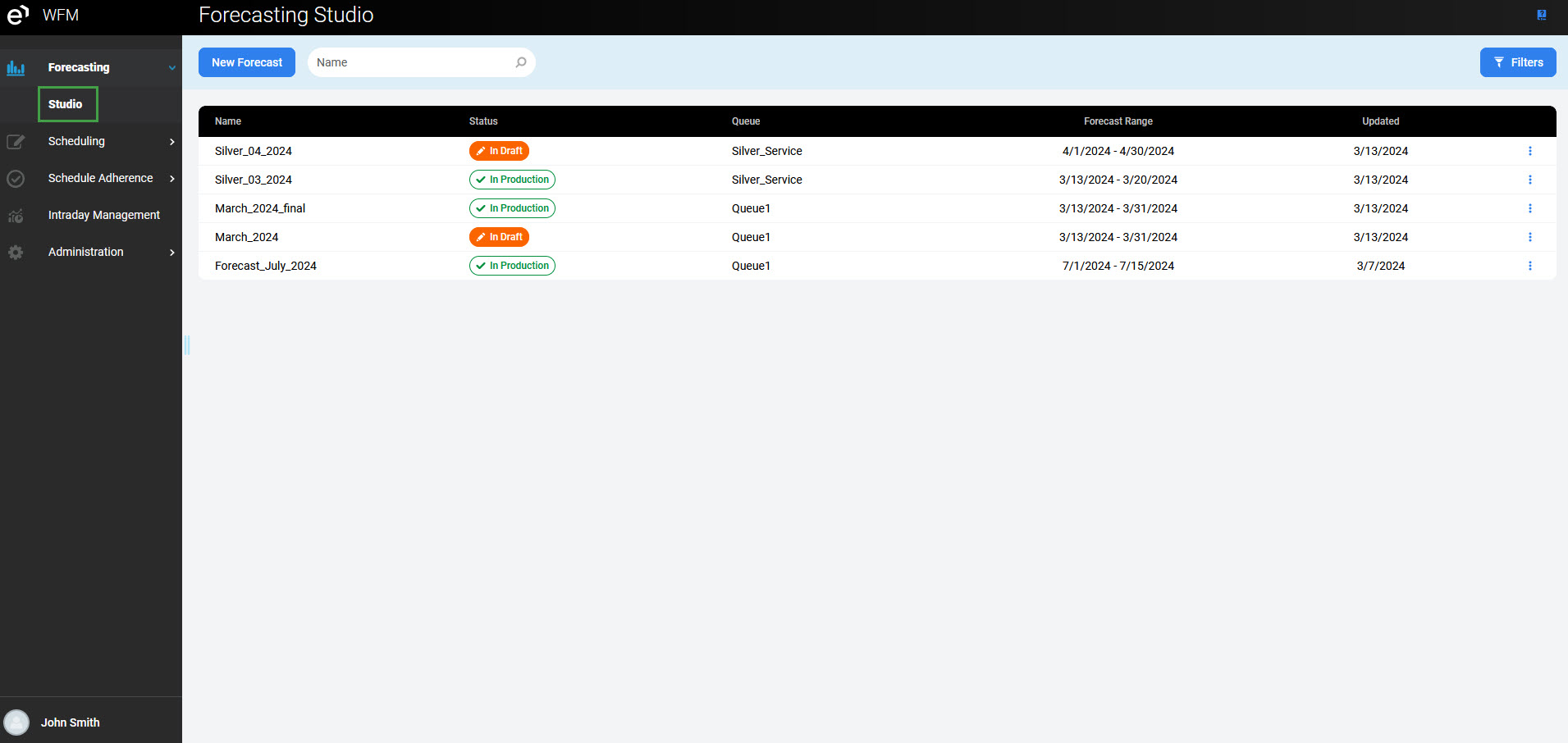
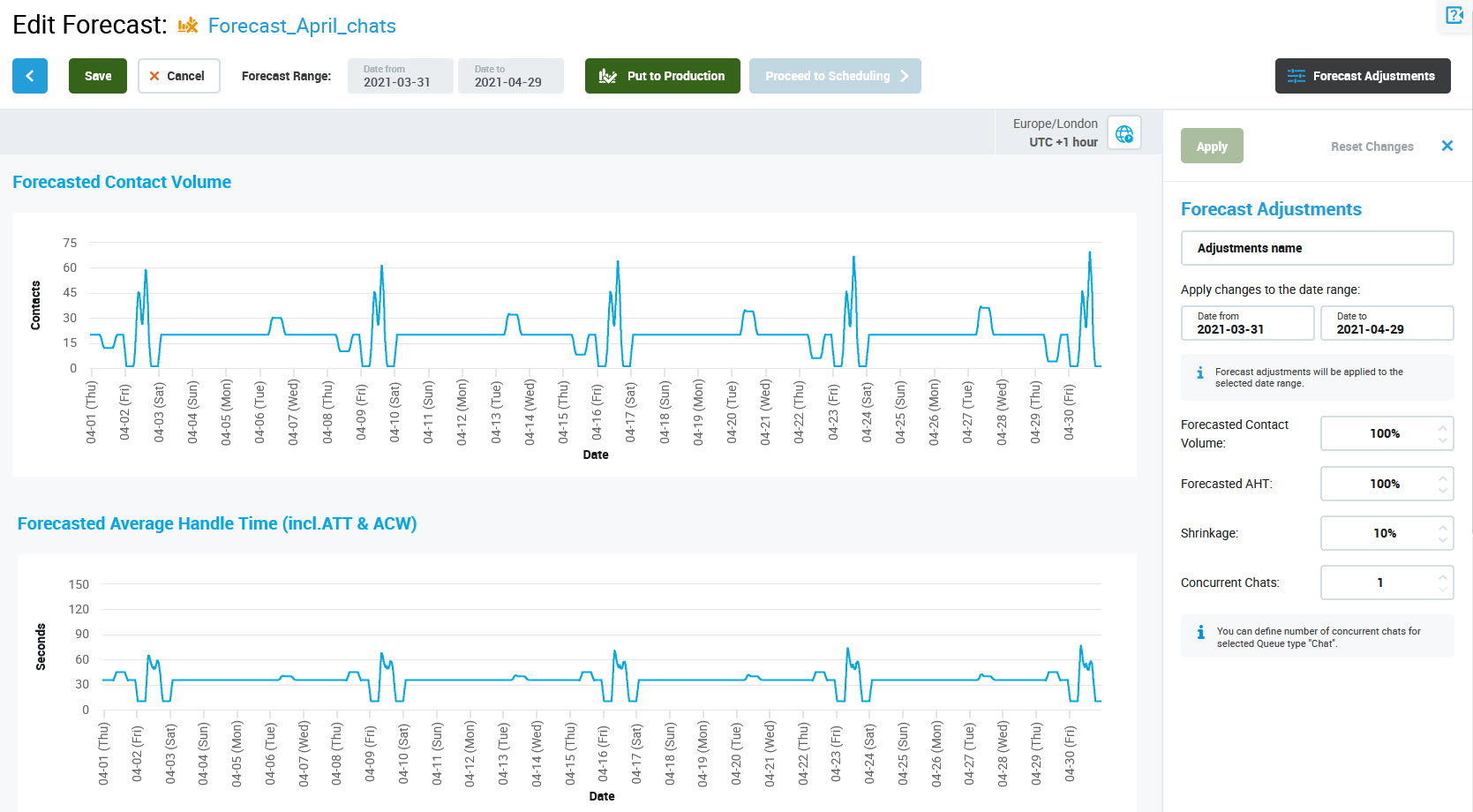
Click on the Edit or View icon to view details of the draft forecast. They can be customized by applying the adjustments. Also, the wizard allows putting the forecast straight to production.
Scheduling Studio
The Scheduling Studio environment facilitates the configuration of any number of draft schedules (similarly to draft forecasts). Each new schedule is based on a production forecast and is limited by the selected time period and queue.
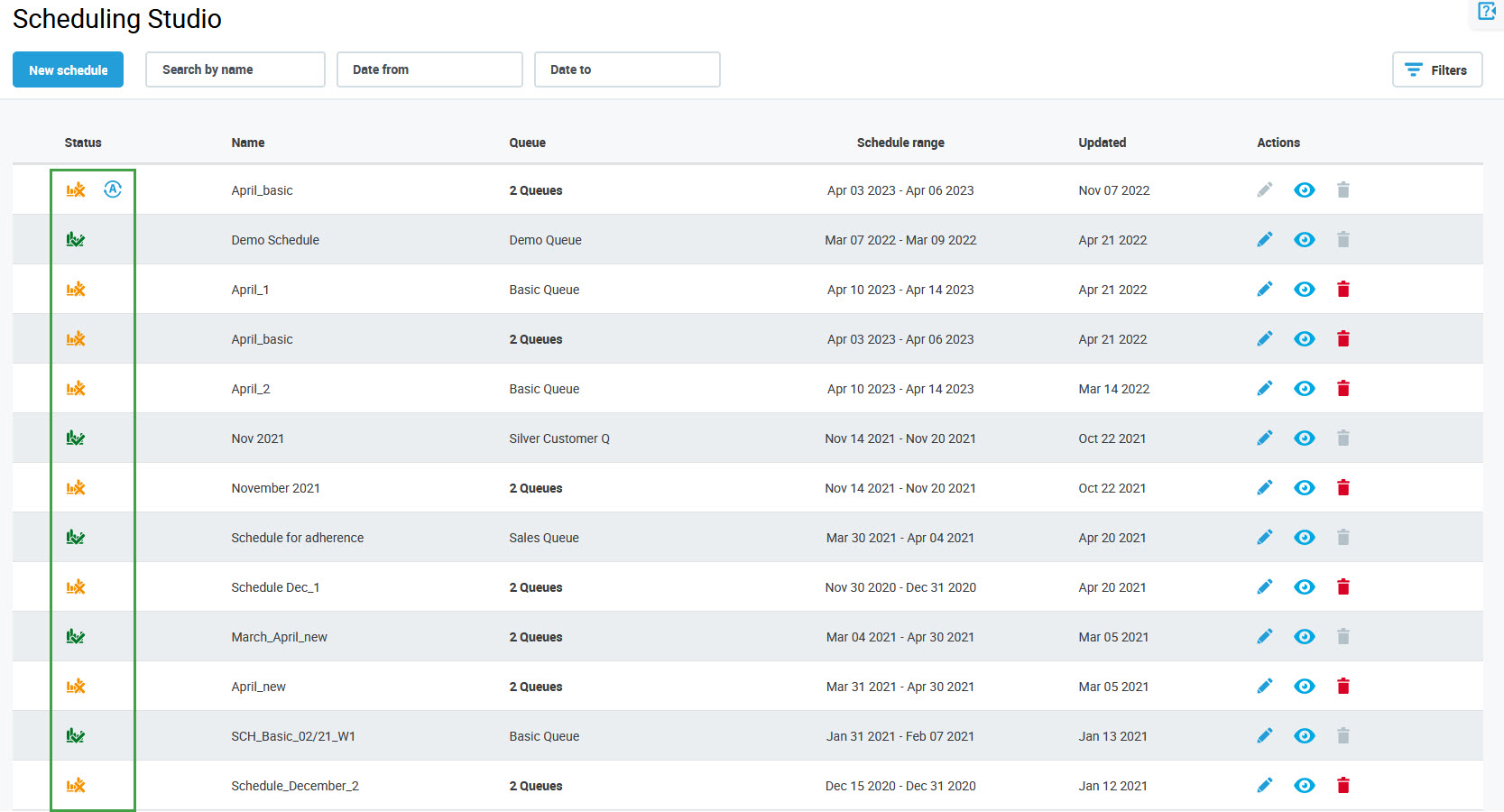
To display the existing draft schedules, expand the Scheduling module within the navigation tree and click Studio. The Scheduling Studio screen will display.
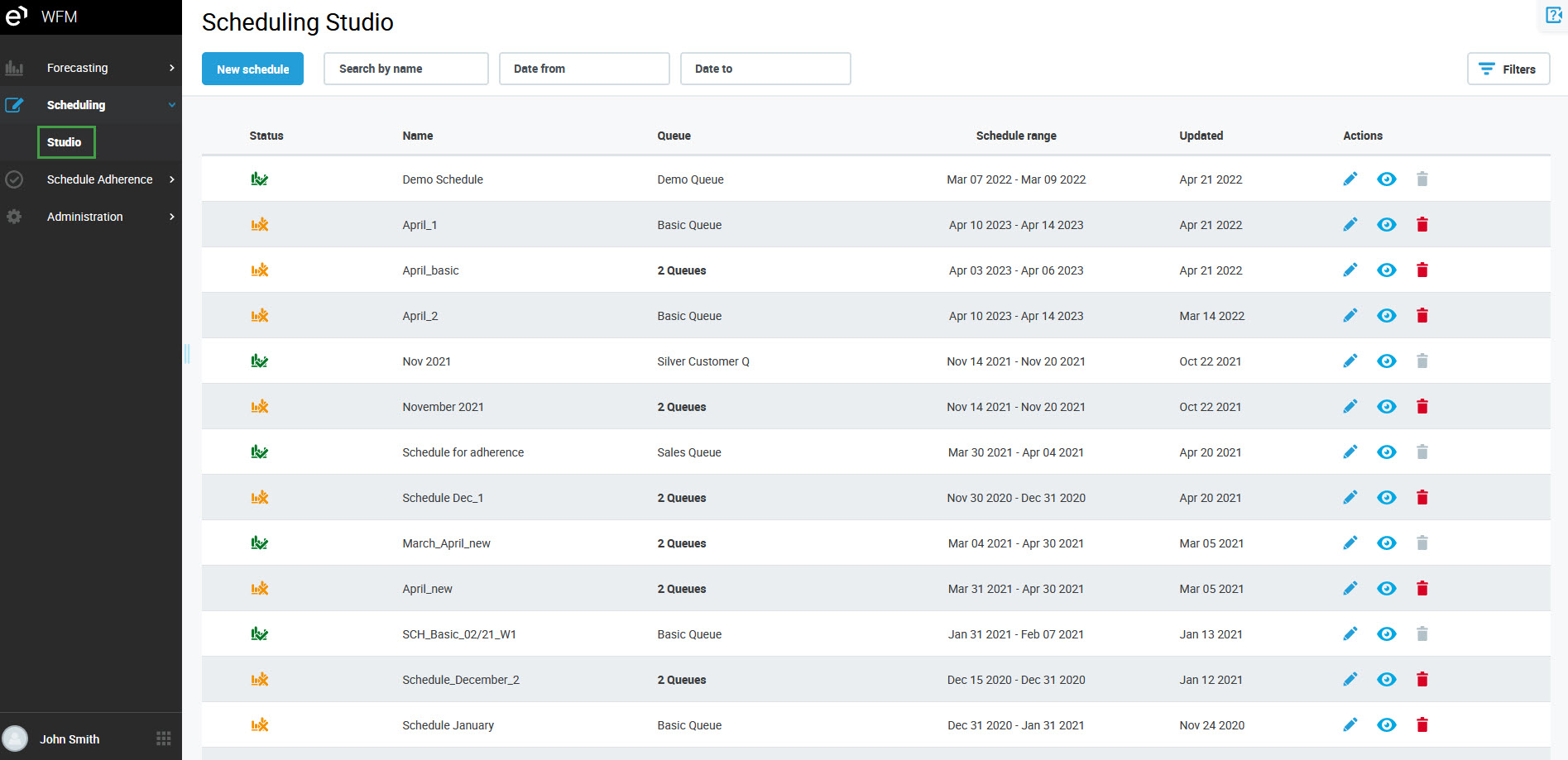
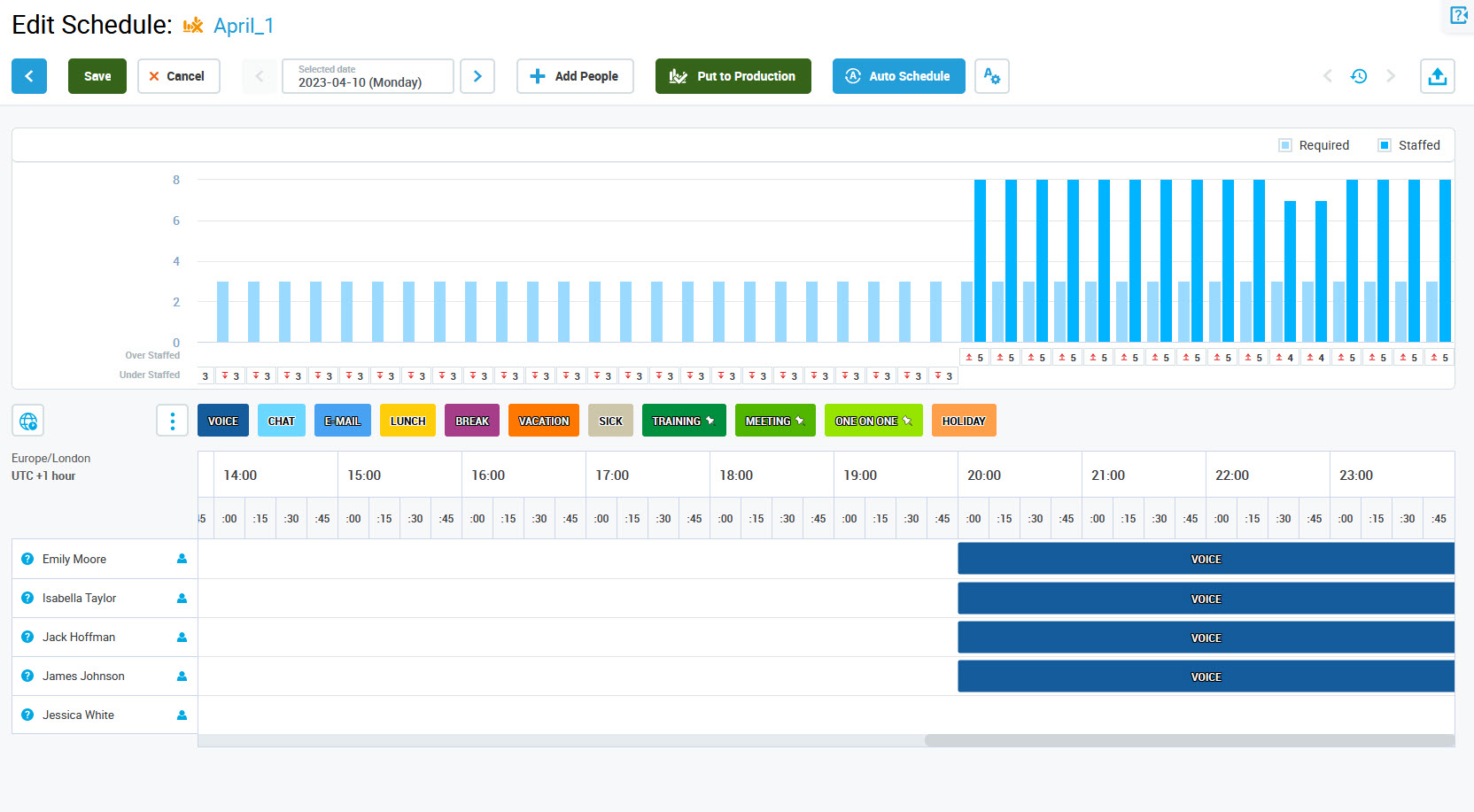
Click on the Edit or View icon to view details of the draft schedule.
The benefits of draft schedules include:
-
a new shorter schedule can be created to overwrite the current longer schedule (for example to create an exception from the schedule for one day)
-
different groups of people may be assigned for different time periods
-
two managers can create schedules for different periods independently and then apply them to the production schedule
Similarly to the production forecast, the production schedule is a long-term timeline. This timeline is 'filled in' in blocks of time (time ranges) using the schedules configured during the draft creation process. The Scheduling Studio page displays all of the configured draft schedules and allows for them to be applied to the production schedule. The status of the schedule (In Draft, In Production or Auto Scheduling in progress) is displayed in the Status column:
There is only one production forecast and one production schedule for each queue for each day.
Examples
Examples of dependency between forecasts and schedules are covered by the below scenarios and presented on diagrams. Click on the links below to expand the examples.
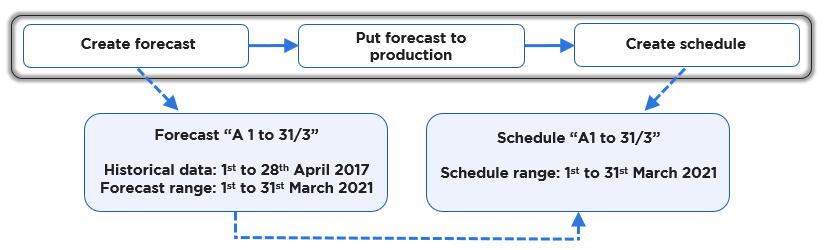
Scenario A: A single forecast for a single schedule
Task: Create a single schedule using a single forecast.
Solution:
-
Create a forecast “A 1 to 31/3” for Queue A for 1st to 31st March 2021 using historical data from 1st to 28th April 2017 and save it as a draft.
-
Put the above forecast into production.
-
Create a schedule “A 1 to 31/3” assigning work to agents serving Queue A from 1st to 31st March 2021 using the production forecast “A 1 to 31/3”.
Scenario B: Multiple forecasts for a single schedule, partial overwrites
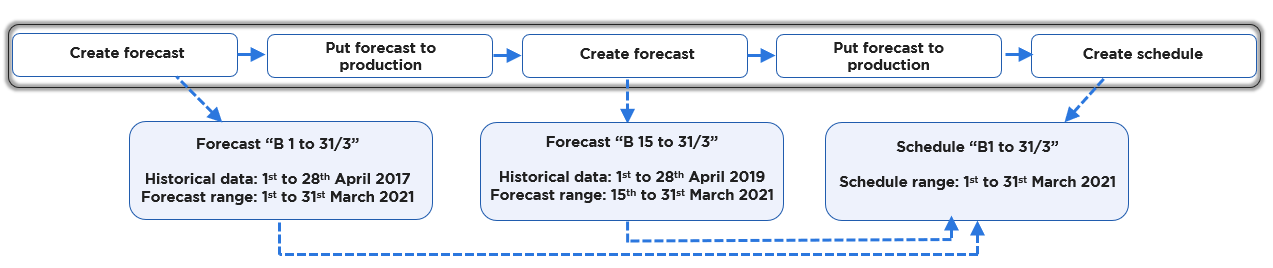
Task: Create a single schedule using a forecast partially overwritten with a fresh forecast containing more recent data.
Solution:
-
Create a forecast “B 1 to 31/3” for Queue B for 1st to 31st March 2021 using historical data from 1st to 28th April 2017 and save it as a draft.
-
Put the above forecast into production.
-
On receipt of new information, create forecast “B 15 to 31/3 for Queue B for the 15th to the 31st March 2021 using historical data from 1st to 28th March 2019. This forecast contains shrinkage increased to 20%.
-
Put the above forecast into production – forecast “B 15 to 31/3” will overwrite forecast “B 1 to 31/3” for the 15th March onwards.
-
Create schedule “B 1 to 31/3” covering the dates 1st to 31st March 2021. This schedule will use forecast “B 1 to 31/3” to cover the dates 1st to 14th of March 2021, and forecast “B 15 to 31/3” to cover the dates 15th to 31st.
Scenario C: Multiple forecasts for a single schedule, multi-skill/channel
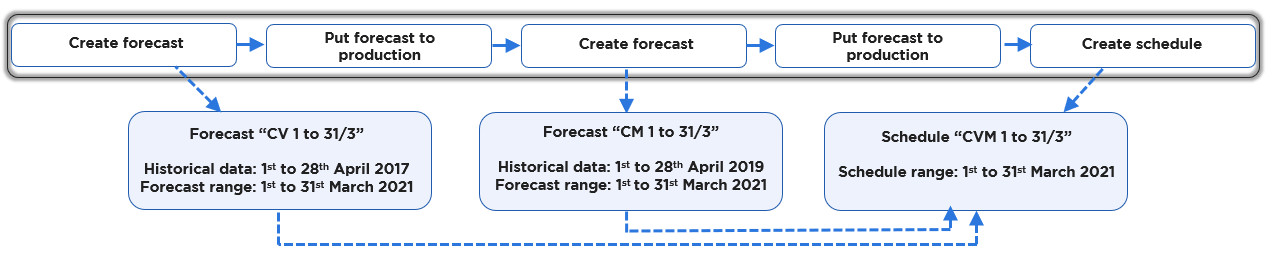
Task: Create a single schedule for voice and email work using parallel forecasts for voice and email.
Solution:
-
Create forecast CV 1 to 31/3 for queue C-Voice for 1st to 31st March 2021 using historical data from the queue C-Voice for 1st to 28th April 2019.
-
Put the above forecast into production.
-
Create forecast CM 1 to 31/3 for queue C-Mail for 1st to 31st March 2021 using historical data from the queue C-Mail for 1st to 28th April 2019.
-
Put the above forecast into production
-
Create schedule CMV 1 to 31/3 selecting queue C-Voice and C-Mail to cover the dates 1st to 31st March 2021.
The following scenarios illustrate common use cases of the draft and production forecasts and schedules. Click on the links below to expand the examples.