
Exporting a Questionnaire
The Questionnaires screen supports import and export functionality, enabling flexible management of questionnaire content. Typical uses include backing up questionnaires, creating templates, deploying questionnaires on new systems, and editing or sharing questionnaire files using external tools.
To export a questionnaire:
-
Go to Questionnaires, select a questionnaire, and click the three-dots icon to expand the list of options available. Select Export. The questionnaire is downloaded as an XML file. The download process may vary depending on the browser.
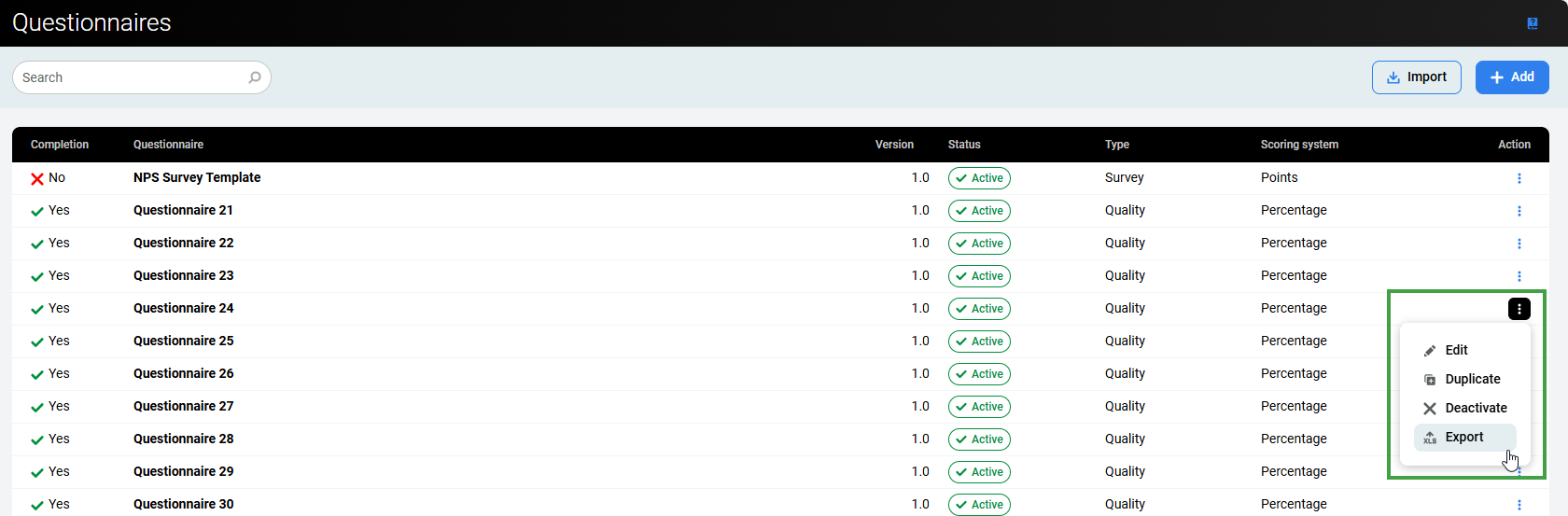
or open an existing questionnaire and click the export icon to download the file.
-
Save the XML file to the desired location and rename it with a descriptive name.
Editing an Exported Questionnaire
Open and edit exported questionnaire files in any text editor that supports XML (such as Notepad++).
-
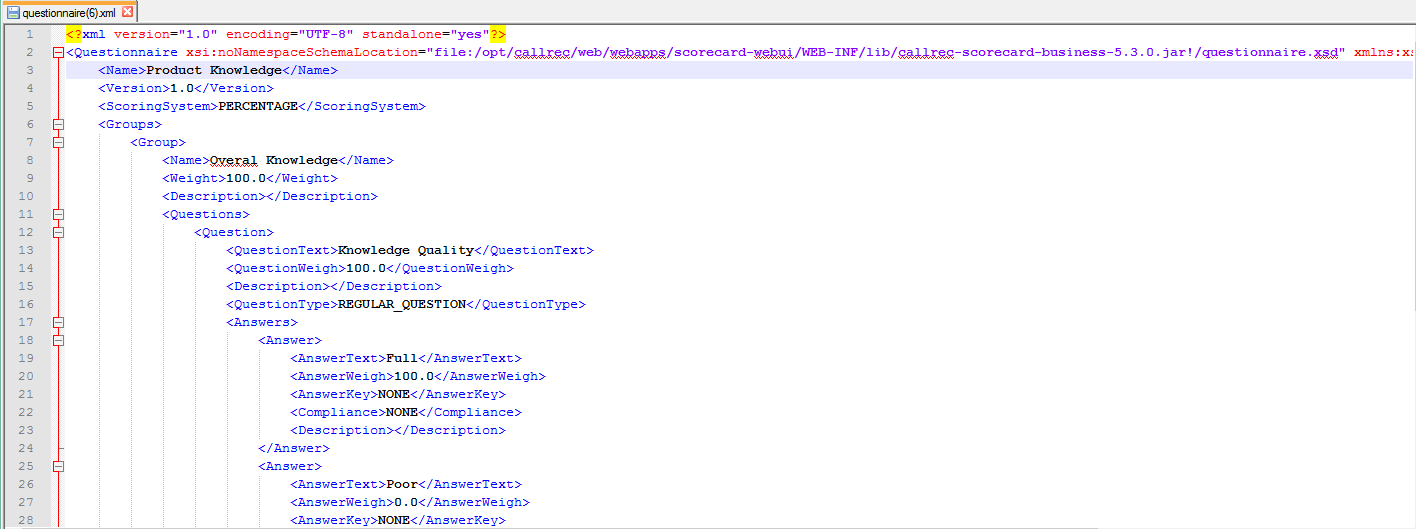
Rename the exported file to use it as a template for new questionnaires. An XML text editor will present the file in a format similar to the following image:
-
Edit the questionnaire as required.
XML files can be complex. Users unfamiliar with XML editing may produce invalid files. If issues occur after modifying a file, create the questionnaire within Quality Management and export it as a template for future use
Importing a Questionnaire
Eleveo supports importing questionnaires in XML format that were previously exported from Quality Management. An error message appears if the imported file is invalid or unrecognized.
To import a questionnaire:
-
Go to Questionnaires > Import.

-
Browse and select the file to import.
-
Click Open/Import to start the import(browser-specific).
After a successful import, the questionnaire opens automatically in edit mode with the status set to Draft.

-
The questionnaire name and version number must be unique — they cannot match any existing questionnaire in Eleveo. Switch to the settings screen and modify the name or version number.
-
Click Save to save the questionnaire after making any modifications.
Permissions for Imported Questionnaires
To ensure backward compatibility, imported questionnaires do not support access permissions. by default, all imported questionnaires are visible to all users.