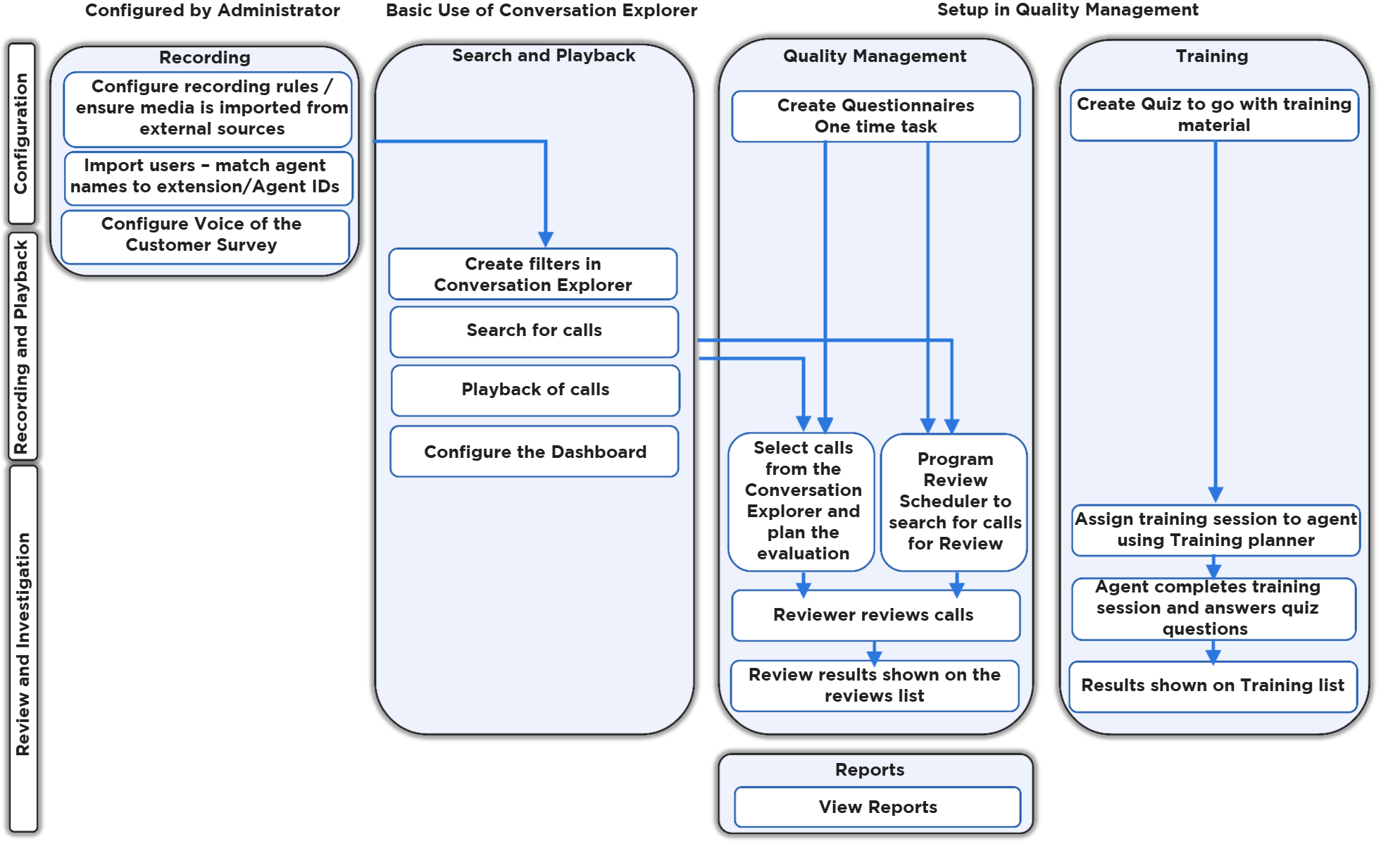
This page provides a simplified overview of commonly implemented workflows for Eleveo Workforce Optimization (WFO).
Depending on your use case, follow one of the paths below:
Preconditions
Conversations must be imported from Media Capture modules or from other data sources (such as Salesforce, for example).
Recording Rules must be defined by an administrator in call center environments. The system must be configured for recording and playback of media.
Search and Playback / Conversation Explorer
-
Log in (follow the instructions on the Login page).
-
Search for calls or create filters on the Conversation Explorer screen (find more details on the Conversation Explorer ).
-
Play back media from the Conversation Explorer.
Quality Management
-
Create questionnaires, as described on the Questionnaires (this is a one-time task).
-
Select a call from the Conversation Explorer and plan an evaluation (find more details on the Using the Reviews Screen ).
-
Program the Plan Manager to search for calls to review (find more details on the Plans Manager ).
-
-
Complete a review using the Grading Form (find more details on the Using the Reviews Screen).
-
View results on the Reviews screen (more details: Using the Reviews Screen ) or in the Review Volume Report.
Using Trainings
-
Create a training or quiz to accompany the training material (find more details on the Creating a Training Questionnaire ).
-
Assign a training session to an agent using the Training Planner (find more details on the Planning a Training).
-
Agent completes the training (find more details on the Taking a Training ).
-
Search and review the results of the training (find more details on the Searching and Exporting Trainings ).
The diagram below provides a general overview of the workflow for tasks within Eleveo Quality Management: