
Before you can see a calendar subscription on all your devices, subscribe to the calendar on your device first. If you subscribe to the calendar on your iOS device, iCloud will not update it to your other devices.
Adding a Calendar
If you use an Apple® device, follow the steps below:
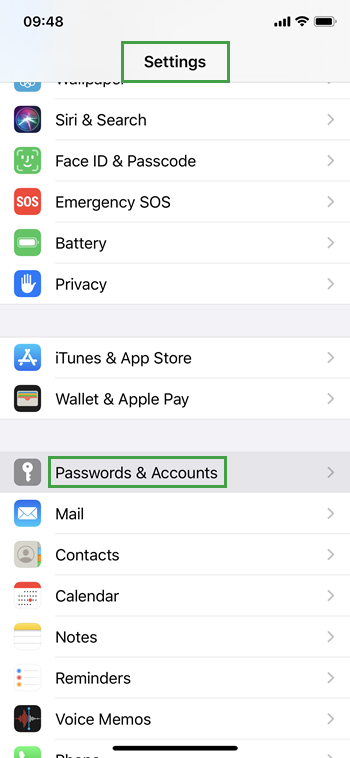
On your device, go to Settings > Passwords & Accounts:
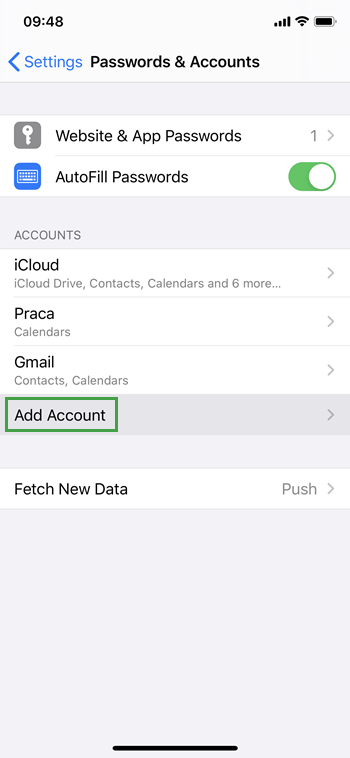
Click Add Account:
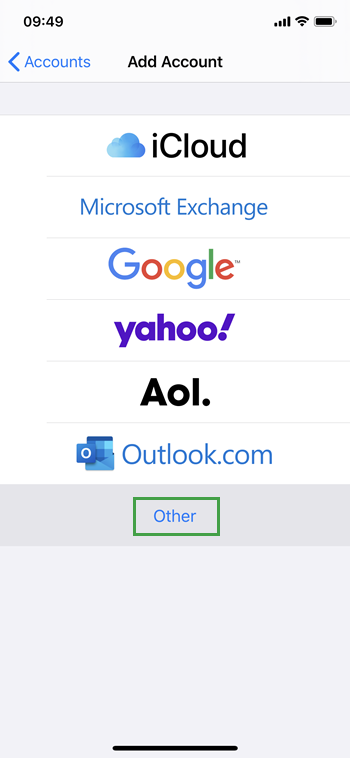
Select Other:
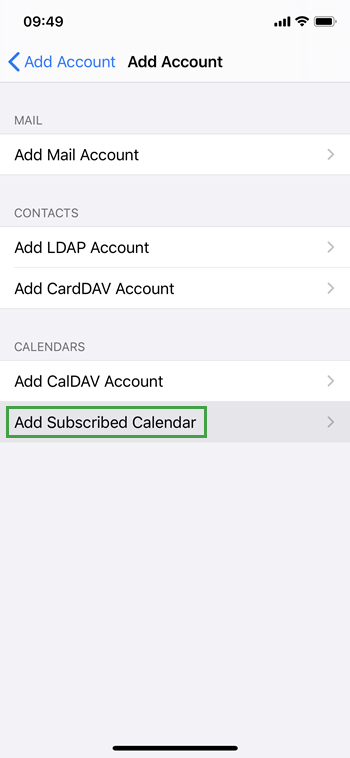
Select Add Subscribed Calendar:
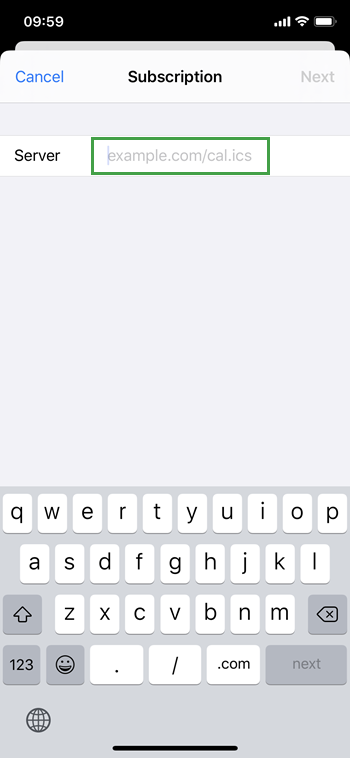
Paste the copied URL (from the previous step) into the Server field:
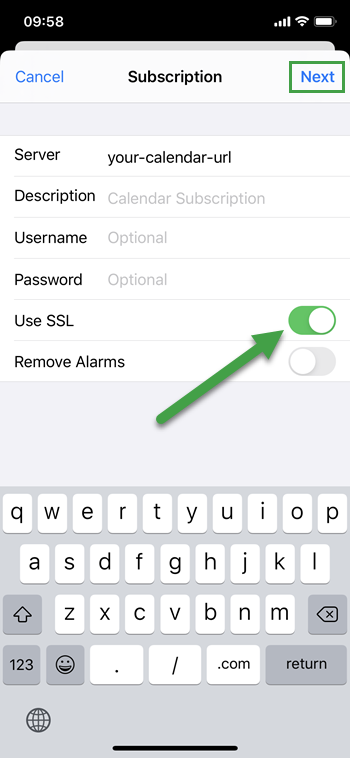
Enable the Use SSL option and click Next:
The My Schedule Calendar now displays in your personal calendar.
It may take some time for the calendar data to display.
Removing a Calendar
Open Calendar to remove a calendar from your device. Tap Calendars > i > Delete Calendar.
"IOS is a trademark or registered trademark of Cisco in the U.S. and other countries and is used under license."
"Apple, iCloud and iPhone are trademarks of Apple Inc., registered in the U.S. and other countries."