
Only the original creator of a review has the right to delete it. The delete tab will not be available to others accessing the review.
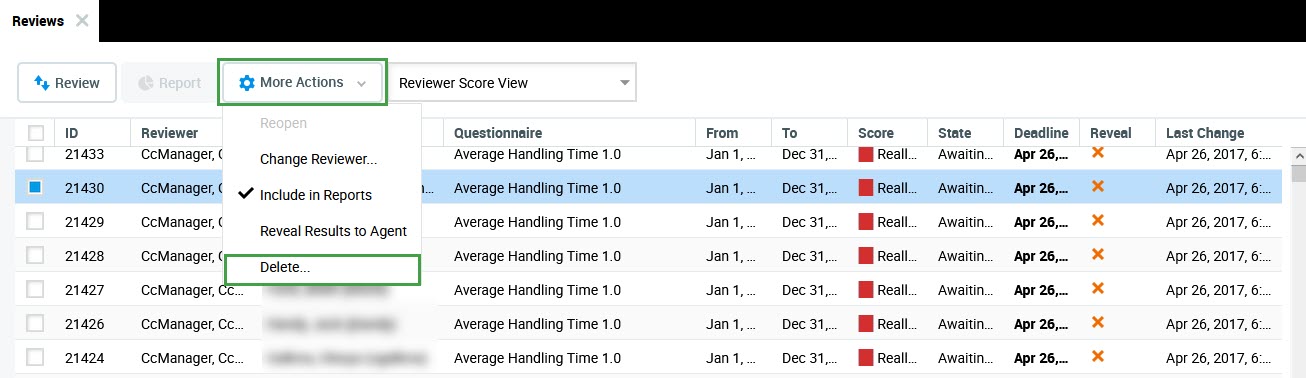
To delete a review:
-
Select the review.
-
Select More Actions.
-
Click Delete from the drop-down list. If this option cannot be clicked the Review Agents permission needs to be added to the user's role.
Important: An agent must be assigned the Review Agents permission in addition to the Self-Review permission to create and delete reviews. If the agent does not have the Review Agents permission the agent's self reviews cannot be deleted.