
Eleveo WFO
Breadcrumbs

Speech Recognition Integration

Supported for CLOUD Deployments + on-premise DEPLOYMENTS + Hybrid Deployments

Overview

Eleveo offers a Speech Recognition package that is installed on a separate, dedicated, server. The solution is provided for both on-premise and cloud deployments. Feature availability may vary based on your installation.

The Eleveo solution does not support multiple engines in parallel. Multiple language packs can be configured (based on what is supported by the given speech engine) but only a single speech engine can be configured.

Speech Recognition

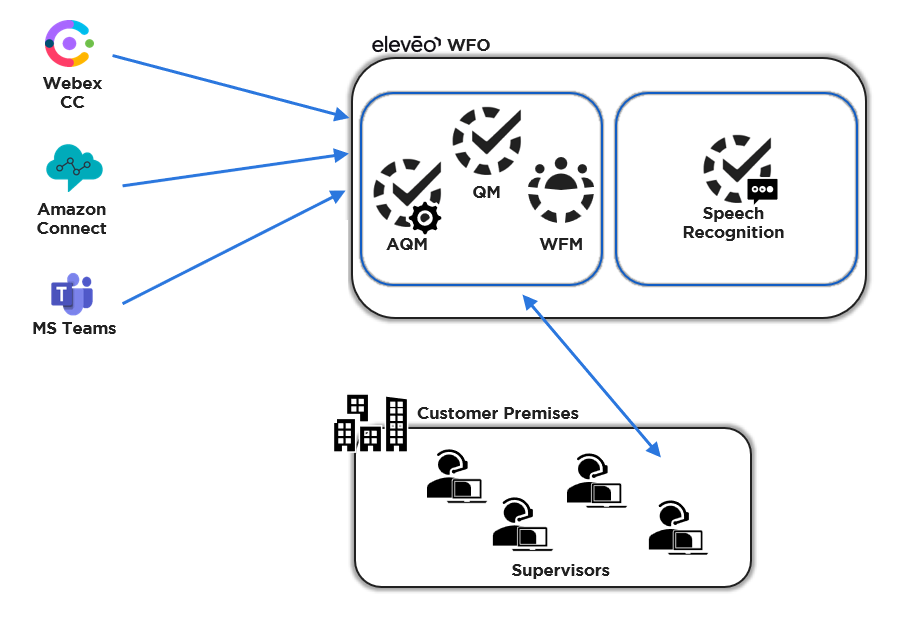
Speech Recognition works with a limited number of languages. Speech Recognition is installed as an add-on to Quality Management and must be configured. This feature provides transcription services for all supported languages. The audio files generated in the contact center or back-office are sent via a dedicated API to a secondary system that processes the recording, analyzes the audio, detects emotion/sentiment, transcribes the audio, and tags the relevant section. View the transcription within the Conversation Explorer.
speech rec external speech eng.png
Cloud Installation: Graphical overview of how the Speech Recognition service is interconnected with other services

What is Supported - Based on Speech Recognition Service

Languages

Speech Recognition - Voci

Speech Recognition - Phonexia

Supported Languages

Dialects supported

Supported Languages


CPU Based Languages

GPU Based Languages

English

  • North America

  • Australia

  • United Kingdom

  • Europe

  • Philippines

  • International

Arabic (Gulf)
Arabic (Levantine)
Bengali
Chinese Mandarin
Croatian
Czech
Dutch
English (US)
Farsi
French
Georgian
German
Hungarian
Italian
Kazakh
Pashto
Polish
Russian
Serbian
Slovak
Spanish
Swedish
Turkish
Ukrainian
Vietnamese

Afrikaans
Albanian
Arabic
Armenian
Azerbaijani
Basque
Belarusian
Bengali
Bosnian
Bulgarian
Catalan
Cantonese (HK, CN)
Chinese
Croatian
Czech
Danish
Dutch
English
Estonian
Filipino
Finnish
French
Galician
German
Greek
Gujarati
Hebrew
Hindi
Hungarian
Icelandic
Indonesian
Italian
Japanese
Kannada
Kazakh
Korean

Latvian
Lithuanian
Macedonian
Malay
Mandarin (TW, CN)
Marathi
Maori
Nepali
Norwegian
Nynorsk
Persian
Polish
Portuguese
Punjabi
Romanian
Russian
Serbian
Slovak
Slovenian
Spanish
Swahili
Swedish
Tagalog
Tamil
Telugu
Thai
Turkish
Ukrainian
Urdu
Vietnamese
Welsh

French

  • Canada

  • France

  • Europe

Spanish

  • North America

  • Spain

  • Mexico

  • Argentina

  • Columbia

  • Panama

German


Italian


Portuguese

  • Brazil

Dutch


For up-to-date information regarding supported language packs please refer to the providers documentation.

For up-to-date information regarding supported language packs please refer to the providers documentation.

Medallia Documentation

https://docs.cloud.phonexia.com/docs/products/speech-platform-4

Additional Features - Installation Dependent

Feature

Speech Recognition - Voci

Speech Recognition - Phonexia

Transcription

https://eleveo.atlassian.net/wiki/s/-505230918/6452/267b0663176c4f8787189805bf0a33b7c6d3998e/_/images/icons/emoticons/check.png

https://eleveo.atlassian.net/wiki/s/-505230918/6452/267b0663176c4f8787189805bf0a33b7c6d3998e/_/images/icons/emoticons/check.png

Phrase Spotting (on top of transcription)

https://eleveo.atlassian.net/wiki/s/-505230918/6452/267b0663176c4f8787189805bf0a33b7c6d3998e/_/images/icons/emoticons/check.png

https://eleveo.atlassian.net/wiki/s/-505230918/6452/267b0663176c4f8787189805bf0a33b7c6d3998e/_/images/icons/emoticons/check.png UI differences – There are minor differences in the way the Speech Tags are displayed to end users. Found speech tags may display as overlapping each other for GPU based languages.

Emotion/sentiment detection

https://eleveo.atlassian.net/wiki/s/-505230918/6452/267b0663176c4f8787189805bf0a33b7c6d3998e/_/images/icons/emoticons/check.png (English only)

Available on transcription utterance as well as participant level

https://eleveo.atlassian.net/wiki/s/-505230918/6452/267b0663176c4f8787189805bf0a33b7c6d3998e/_/images/icons/emoticons/forbidden.png

Emotion is not supported

Acoustic parameters 

(crosstalk, silence, speed of speech, talk time, gender, etc.)

https://eleveo.atlassian.net/wiki/s/-505230918/6452/267b0663176c4f8787189805bf0a33b7c6d3998e/_/images/icons/emoticons/check.png


https://eleveo.atlassian.net/wiki/s/-505230918/6452/267b0663176c4f8787189805bf0a33b7c6d3998e/_/images/icons/emoticons/check.png

Gender is not supported

Silence and talking count are not supported

Transcription redaction

https://eleveo.atlassian.net/wiki/s/-505230918/6452/267b0663176c4f8787189805bf0a33b7c6d3998e/_/images/icons/emoticons/check.png

https://eleveo.atlassian.net/wiki/s/-505230918/6452/267b0663176c4f8787189805bf0a33b7c6d3998e/_/images/icons/emoticons/forbidden.png

Automated language identification

https://eleveo.atlassian.net/wiki/s/-505230918/6452/267b0663176c4f8787189805bf0a33b7c6d3998e/_/images/icons/emoticons/check.png Automated language detection –
If automated language detection is enabled for your server, the system will automatically detect what language is used in the first twenty seconds of the recording and switch the language processor to the detected language. This means that if multiple languages are used in a conversation, the system will transcribe text according to the language detected at the beginning of the recording. If the speech recognition engine fails to detect the language accurately, it may produce transcriptions for the incorrect language. The system does not automatically detect and switch languages after the first twenty seconds, even if speakers switch between different languages.

Automatic recognition for the following language pairs:

  • English / Spanish

  • English / French

https://eleveo.atlassian.net/wiki/s/-505230918/6452/267b0663176c4f8787189805bf0a33b7c6d3998e/_/images/icons/emoticons/check.png Automated language detection – GPU languages only –
When configuring the language model to be used, it is possible to define a single language or to set the system to auto-detect the language spoken.

Language is detected every 30 seconds and then it can start using a different language model.


Transcription tuning

https://eleveo.atlassian.net/wiki/s/-505230918/6452/267b0663176c4f8787189805bf0a33b7c6d3998e/_/images/icons/emoticons/check.png Possibility to define vocabulary.

https://eleveo.atlassian.net/wiki/s/-505230918/6452/267b0663176c4f8787189805bf0a33b7c6d3998e/_/images/icons/emoticons/forbidden.png Not supported at this time

Supported formats

WAV only

WAV, MP3, MP4

Availability

9.1+ Cloud, Hybrid

9.4+ On Prem

9.4+ On Prem