
Supported for CLOUD Deployments + on-premise DEPLOYMENTS + Hybrid Deployments
Overview
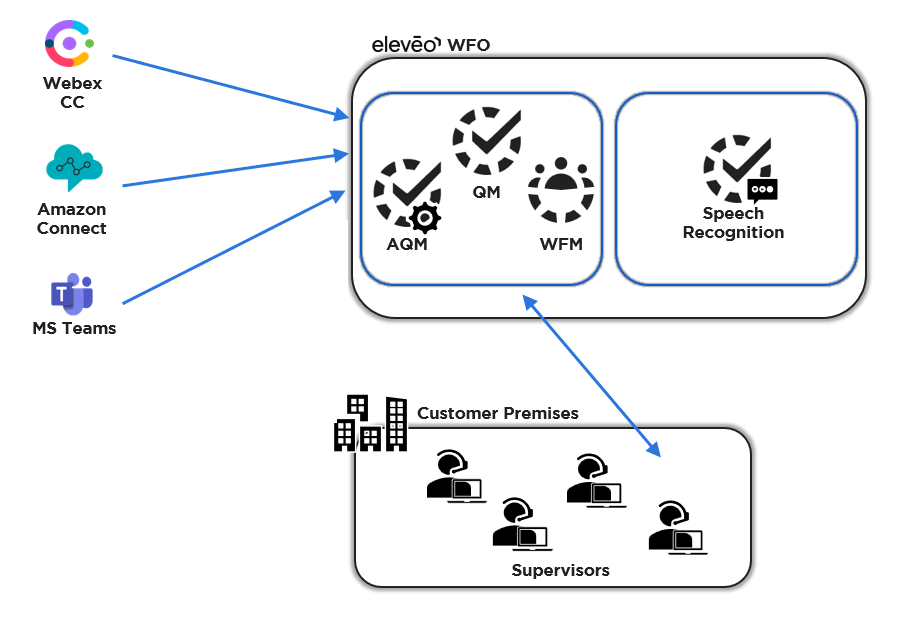
Eleveo offers a Speech Recognition package that is installed on a separate, dedicated, server. The solution is provided for both on-premise and cloud deployments. Feature availability may vary based on your installation.
General Limitations
Multiple language packs can be configured (based on what is supported by the given speech engine) but only a single speech engine can be configured.
-
The Eleveo solution does not support multiple engines in parallel.
Speech Recognition
Speech Recognition works with a limited number of languages. Speech Recognition is installed as an add-on to Quality Management and must be configured. This feature provides transcription services for all supported languages. The audio files generated in the contact center or back-office are sent via a dedicated API to a secondary system that processes the recording, analyzes the audio, detects emotion/sentiment, transcribes the audio, and tags the relevant section. View the transcription within the Conversation Explorer.
What is Supported - Based on Speech Recognition Service
Languages
|
Speech Recognition - Voci Deprecated-EOL Jan 2027 |
Speech Recognition - Speechmatics |
||
|---|---|---|---|
|
Supported Languages |
Dialects supported |
Supported Languages |
|
|
|
|
|
|
|
English |
|
Automatic
|
Latvian
|
|
French |
|
|
|
|
Spanish |
|
||
|
German |
|
||
|
Italian |
|
||
|
Portuguese |
|
||
|
Dutch |
|
||
|
For up-to-date information regarding supported language packs. See the provider's documentation. |
For up-to-date information regarding supported language packs. See the provider's documentation. |
||
Additional Features - Installation Dependent
|
Feature |
Speech Recognition - Voci |
Speech Recognition - Speechmatics |
|---|---|---|
|
Transcription |
|
|
|
Phrase Spotting (on top of transcription) |
|
|
|
Emotion/sentiment detection |
Available on transcription utterance as well as participant level |
|
|
Acoustic parameters Refer the list provided below. |
|
|
|
Transcription redaction |
|
|
|
Automated language identification |
Automatic recognition for the following language pairs is supported:
|
If automated language detection is enabled for your server, the system will automatically detect what language is used. It is possible to configure the expected languages. |
|
Transcription tuning |
|
|
|
Supported formats |
WAV only |
WAV, MP3, MP4 (pvideo format only) |
|
Availability |
Cloud, Hybrid, On Prem |
Cloud, Hybrid, On Prem |
|
Reprocessing of Archived Media |
|
|
Acoustic Parameters by Provider
The following list is provided as additional information. Data available may vary based on the quality of the recorded conversation.
-
Acoustic Parameters for participants are not available for mono recordings (such as MS Teams) and will not be available for reporting.
-
Acoustic metadata will be available in Eleveo Reporting dashboards and Insight Hub if all conversation segments are processed properly.
|
Acoustic Parameter |
Speech Recognition - Voci |
Speech Recognition - Speechmatics |
|---|---|---|
|
General statistics – Aggregated for the entire conversation |
|
|
|
Interruptions count – Number of interruptions |
|
|
|
Total crosstalk duration (sec.) – Total time that the speakers were interrupting or speaking over each other |
|
|
|
Total crosstalk ratio (%) – Ratio of time that the speakers were interrupting or speaking over each other |
|
|
|
Silence count – Silence count includes all silences that are greater in length than 800 milliseconds. This means that the silence count may be 0. In contrast, Total silence duration might be greater than 0 as it combines all silence time, even short periods of silence. |
|
|
|
Total silence duration (sec.) – How much time was silent (no audio) |
|
|
|
Silence ratio (%) – Ratio of time that was silent relative to talk time |
|
|
|
Talking count – Total count of utterances (i.e. phrases, sentences in the transcription) |
|
|
|
Total talking duration (sec.) – Total time a participant was speaking |
|
|
|
Talking ratio (%) – How much time (as a ratio) a participant was speaking |
|
|
|
Speaker specific statistics |
|
|
|
Gender (Male/Female) – If detected the system displays the gender of the speaker (this information is not displayed unless configured by an administrator) |
|
|
|
Total talking duration (sec.) – Total time the participant was speaking |
|
|
|
Talking ratio (%) – How much time (as a ratio) the participant was speaking |
|
|
|
Average speed (words/min.) – How fast the speaker was speaking. Average number of words per minute (rounded to 2 decimal places) |
|
|
|
Interruptions count – Number of interruptions (times the speakers spoke over each other) |
|
|
|
Total crosstalk duration (sec.) – Total time that the speaker was interrupting or speaking over the other |
|
|
|
Total crosstalk ratio (%) – Ratio of time that the speaker was interrupting or speaking over the other |
|
|
|
Average talk speed – Average number of words spoken per minute |
|
|
|
Agent talking ratio – Ratio of the call, in percent, where the agent is speaking |
|
|
|
Agent crosstalk ratio – Ratio of the call, in percent, where there is crosstalk |
|
|
|
Agent number of interruptions – Number of times crosstalk is detected |
|
|